In this guide, we'll walk through the entire process using a specific example with a "Nano" aquarium of 32 liters and popular fertilizers Dennerle Plant Care NPK and Dennerle Plant Care Pro.
Step-by-Step Dosing Guide
Step 1: Open the Dosing Section
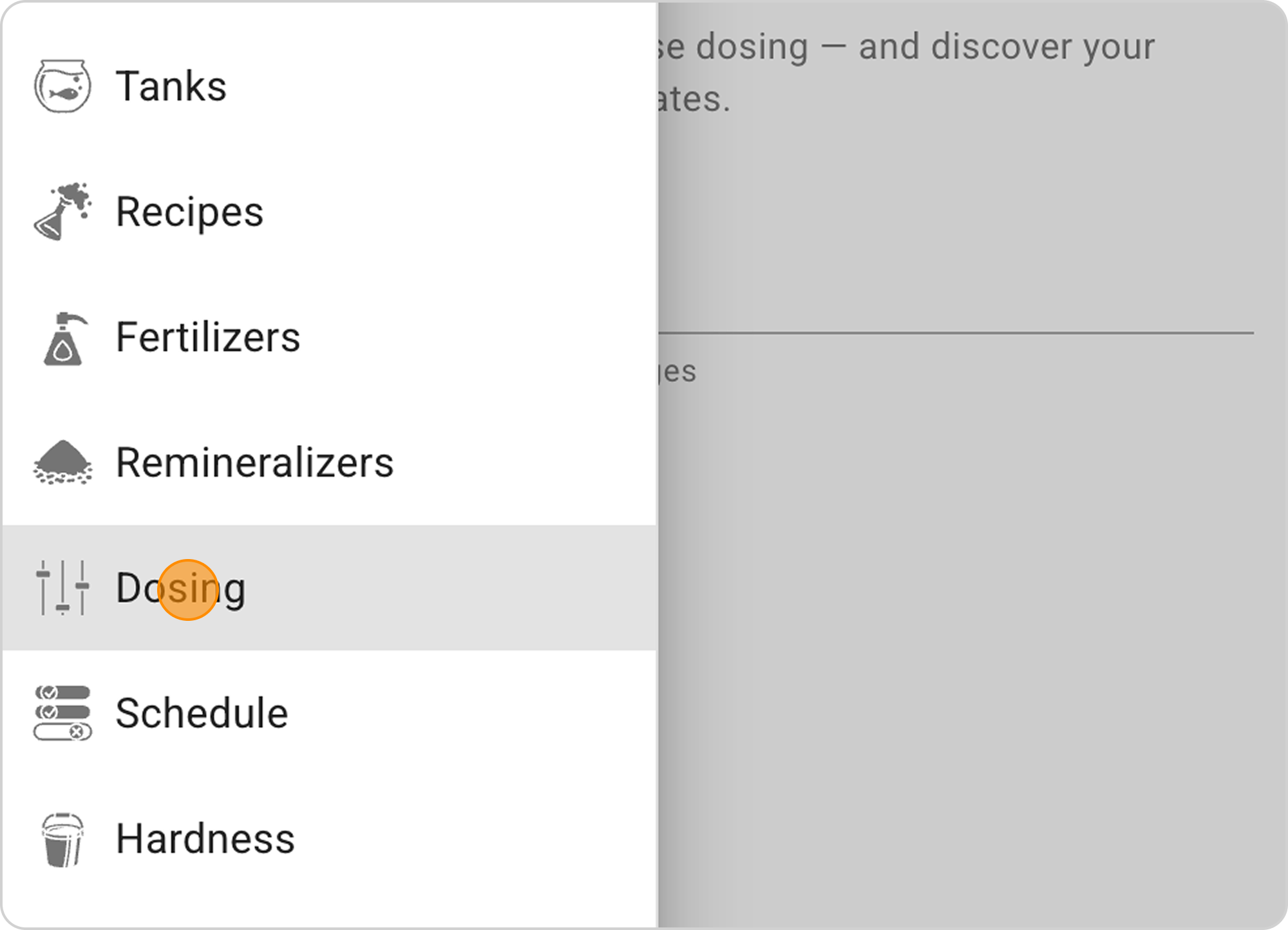
When you navigate to the "Dosing" section, first you need to specify the aquarium volume:
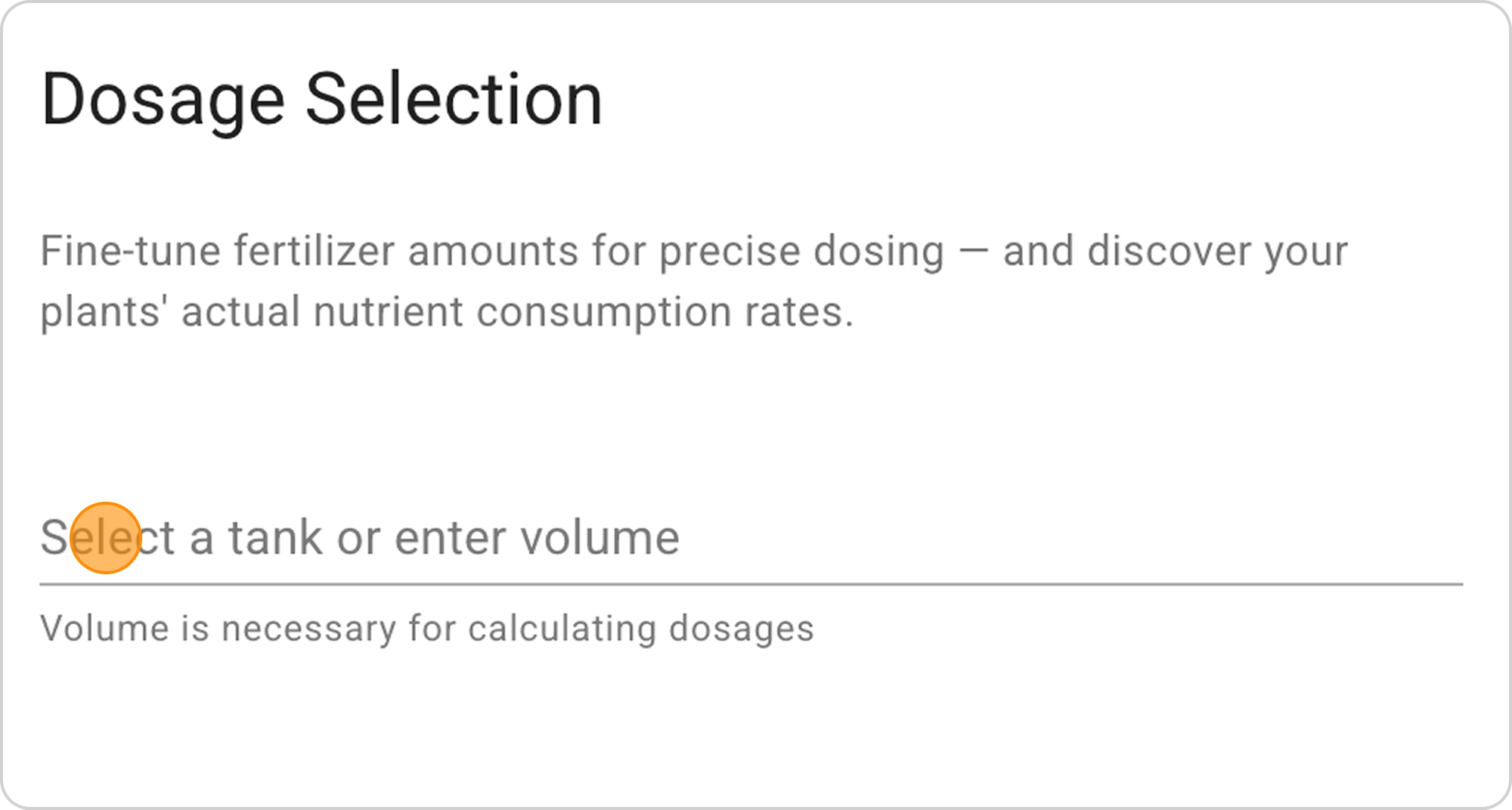
- If you already have an aquarium profile created — select it from the dropdown list
- If there's no profile — enter the water volume manually in the "Select a tank or enter volume" field
In our example: Select "Nano tank" (32 L) from the dropdown list.
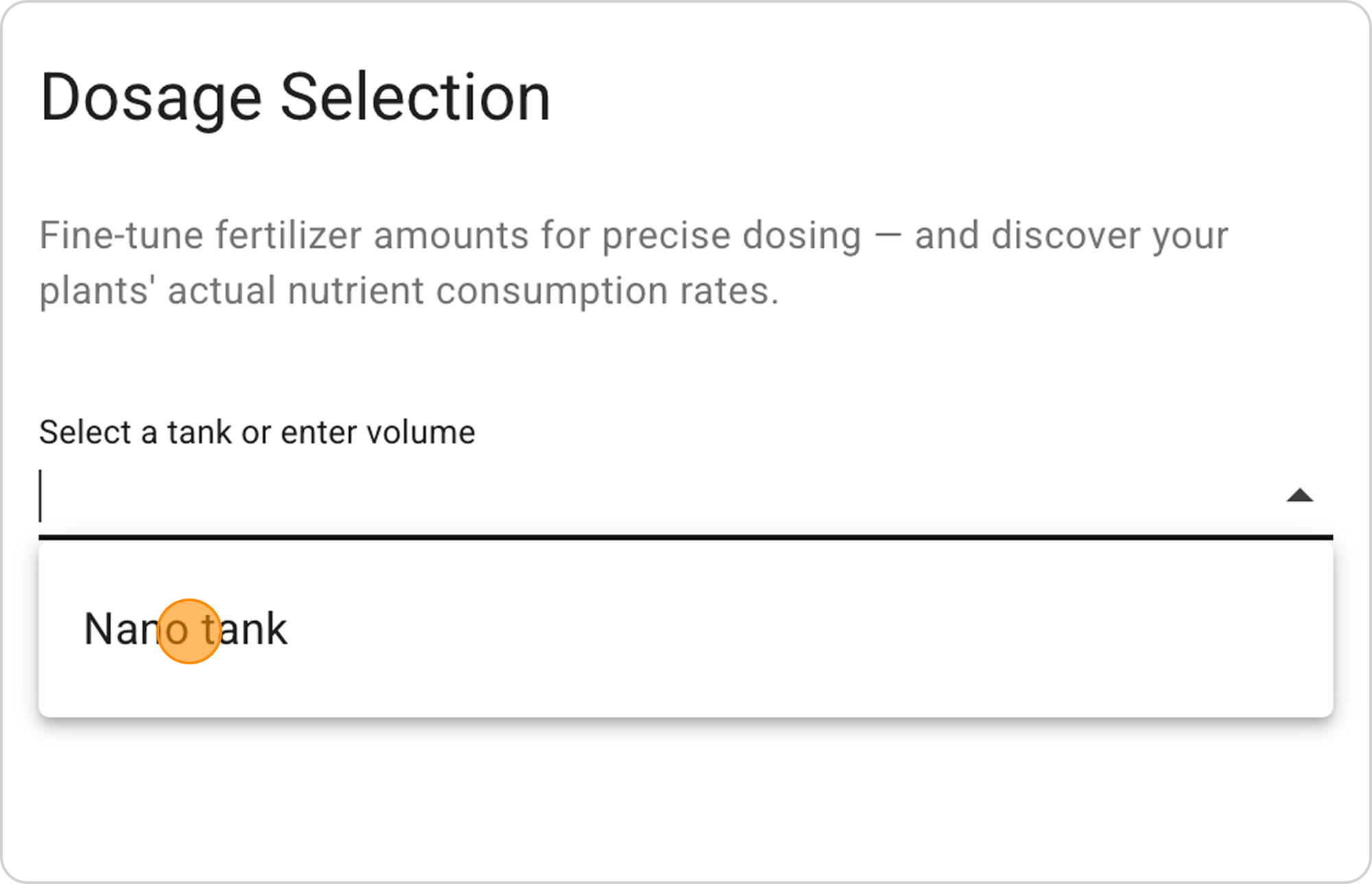
⚠️ Important: For your aquarium to appear in the dropdown list, you need to add its data in the Tanks section beforehand.
Step 2: Select Fertilizers
After specifying the volume, proceed to fertilizer selection:
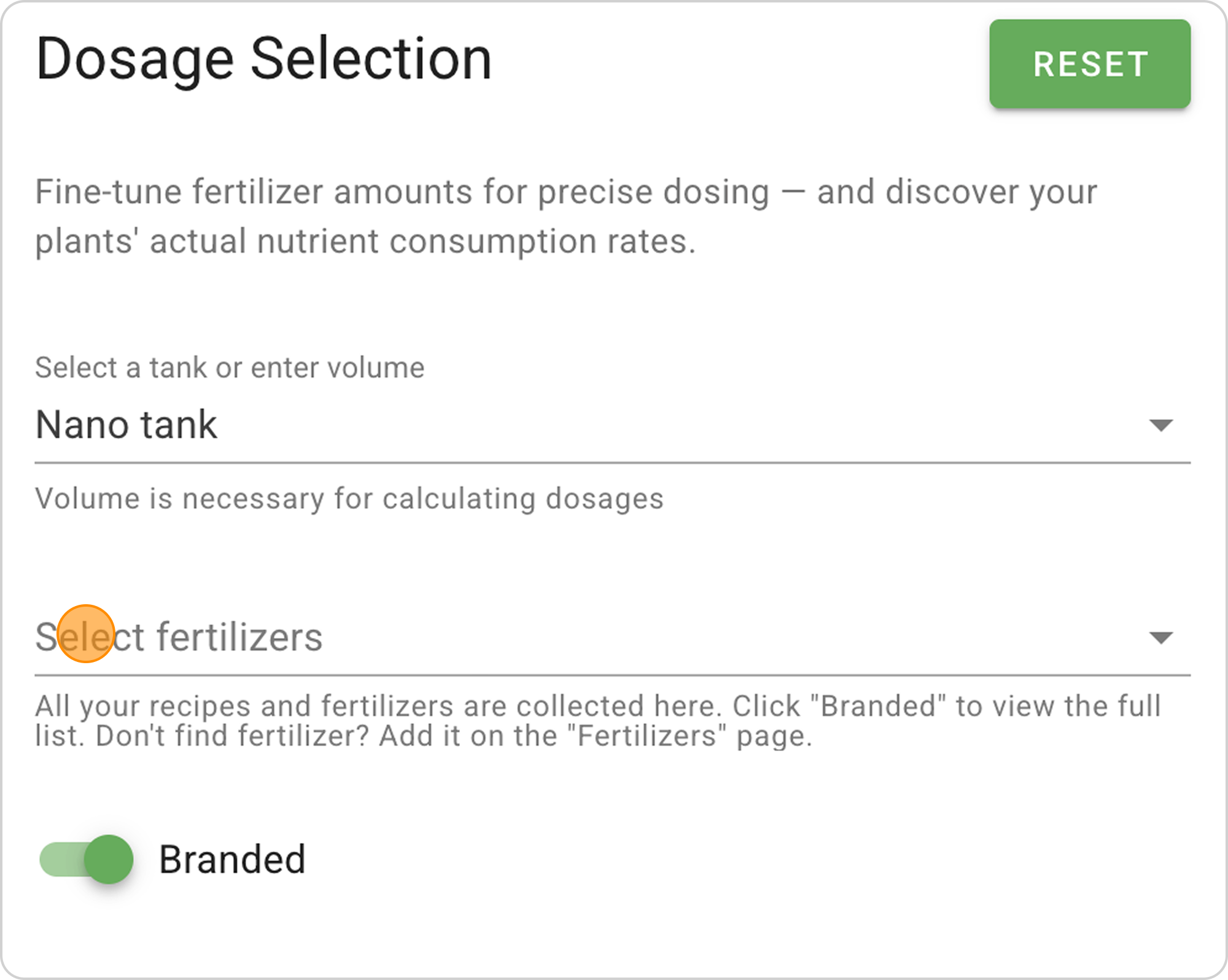
- Click on the "Select fertilizers" dropdown list
- Activate the "Branded" toggle (green color) to access ready-made fertilizers, or switch to inactive position (gray color) to reduce the list and show only your DIY or branded fertilizers.
In our example: Switch the "Branded" toggle to active state. - Find and select the needed fertilizers from the branded fertilizers list.
In our example:
- Select Dennerle Plant Care NPK (complete fertilizer)
- Add Dennerle Plant Care Pro (complete fertilizer)
Step 3: Choose Fertilizer Dosing Type
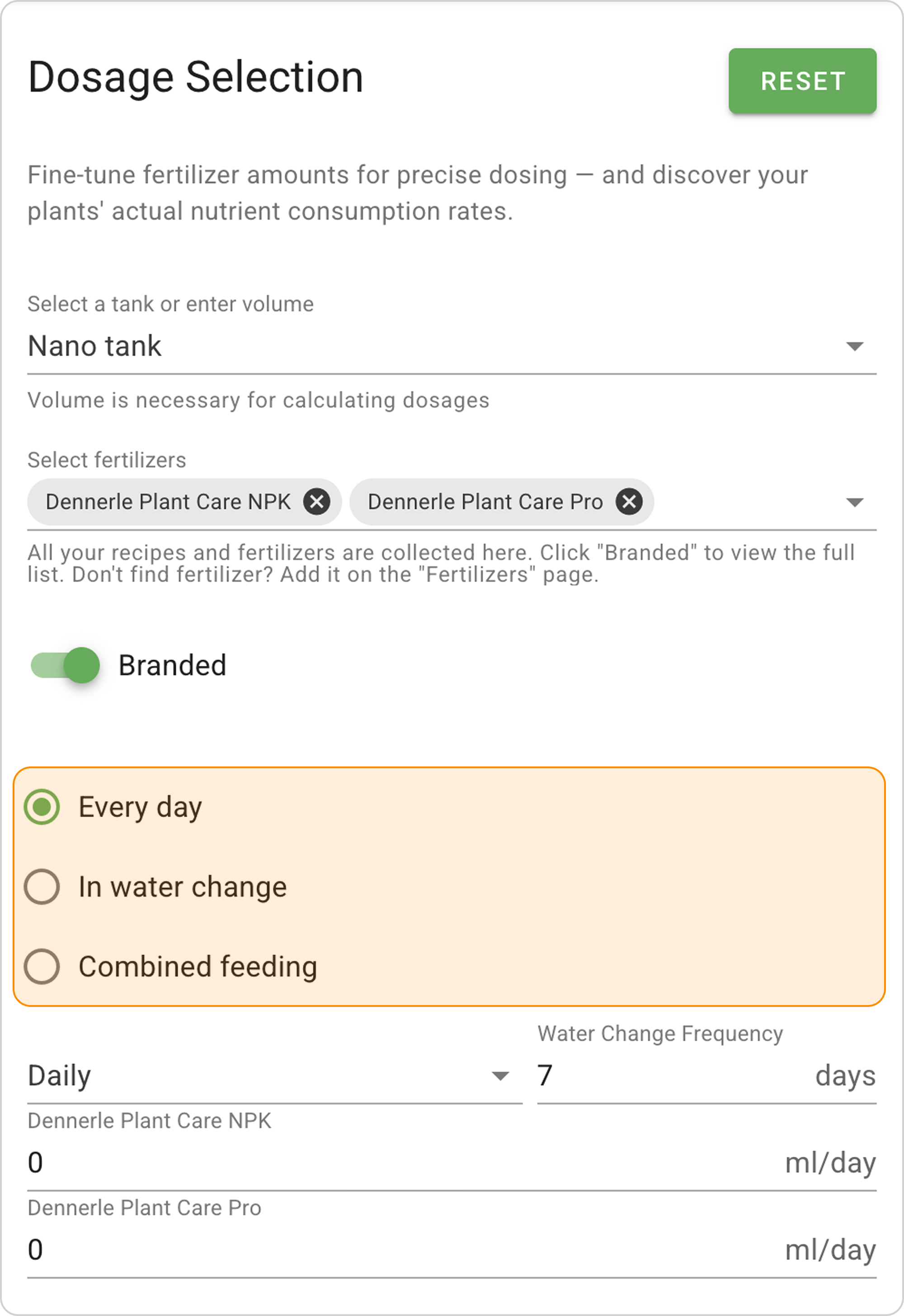
Samomes offers three main dosing regimes:
- Every day:
- Fertilizers are dosed daily in small portions
- Ensures nutrient level stability
- Minimizes algae attacks risk
- Suitable for rich substrates
- In water change:
- Fertilizers are added once a week during water change
- Suitable for less demanding plants
- Simplifies aquarium maintenance
- Well-suited for neutral substrates
- Combined feeding:
- Part of fertilizers is dosed daily, part — during water change
- For experienced aquarists
- Maximum flexibility in tuning
In our example: Select "Every day" mode with a 7-day period.
Step 4: Set Fertilizer Dosages
After selecting the mode, set dosages for each fertilizer:
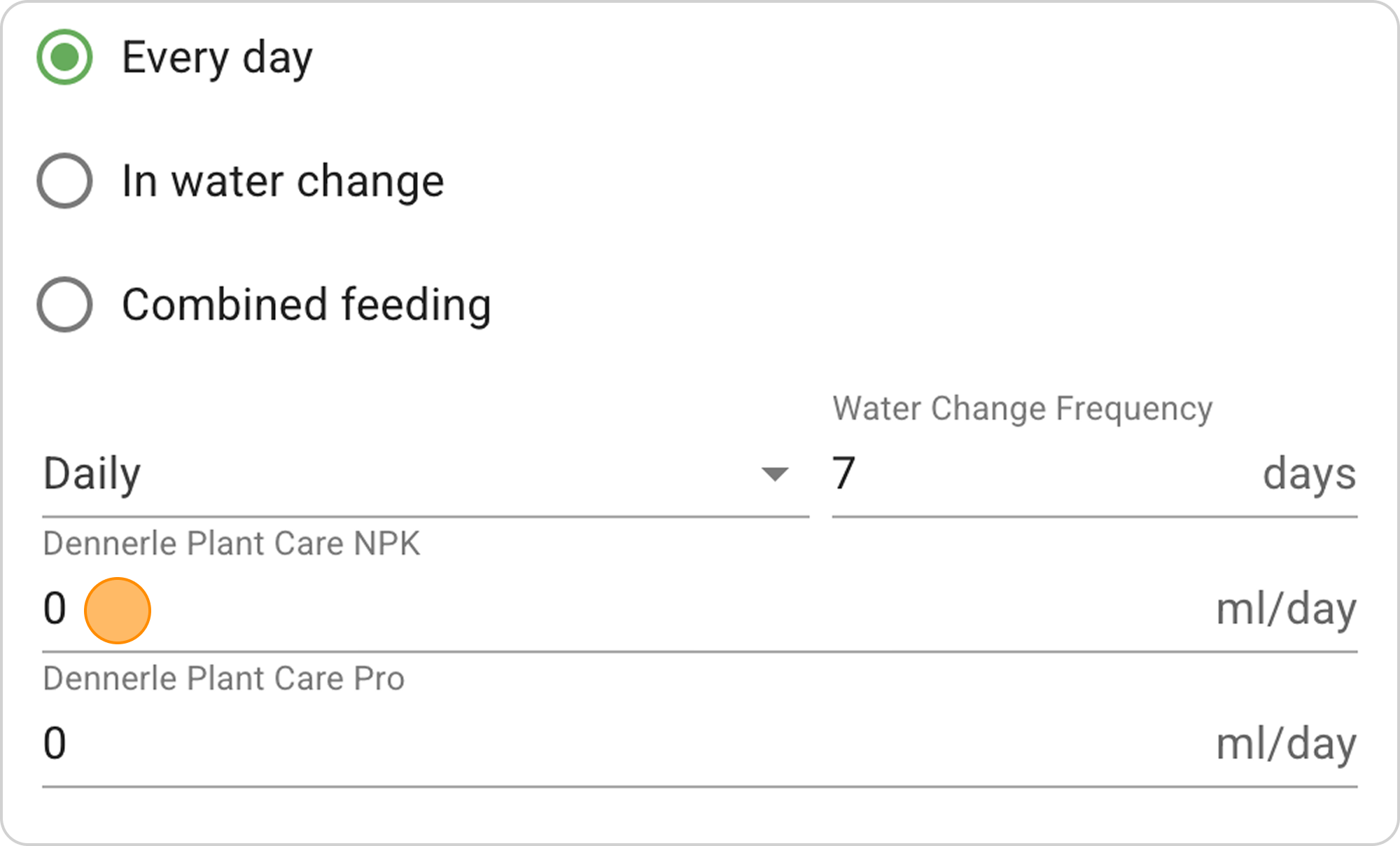
- In the "Dennerle Plant Care NPK" field, set 1 ml/day
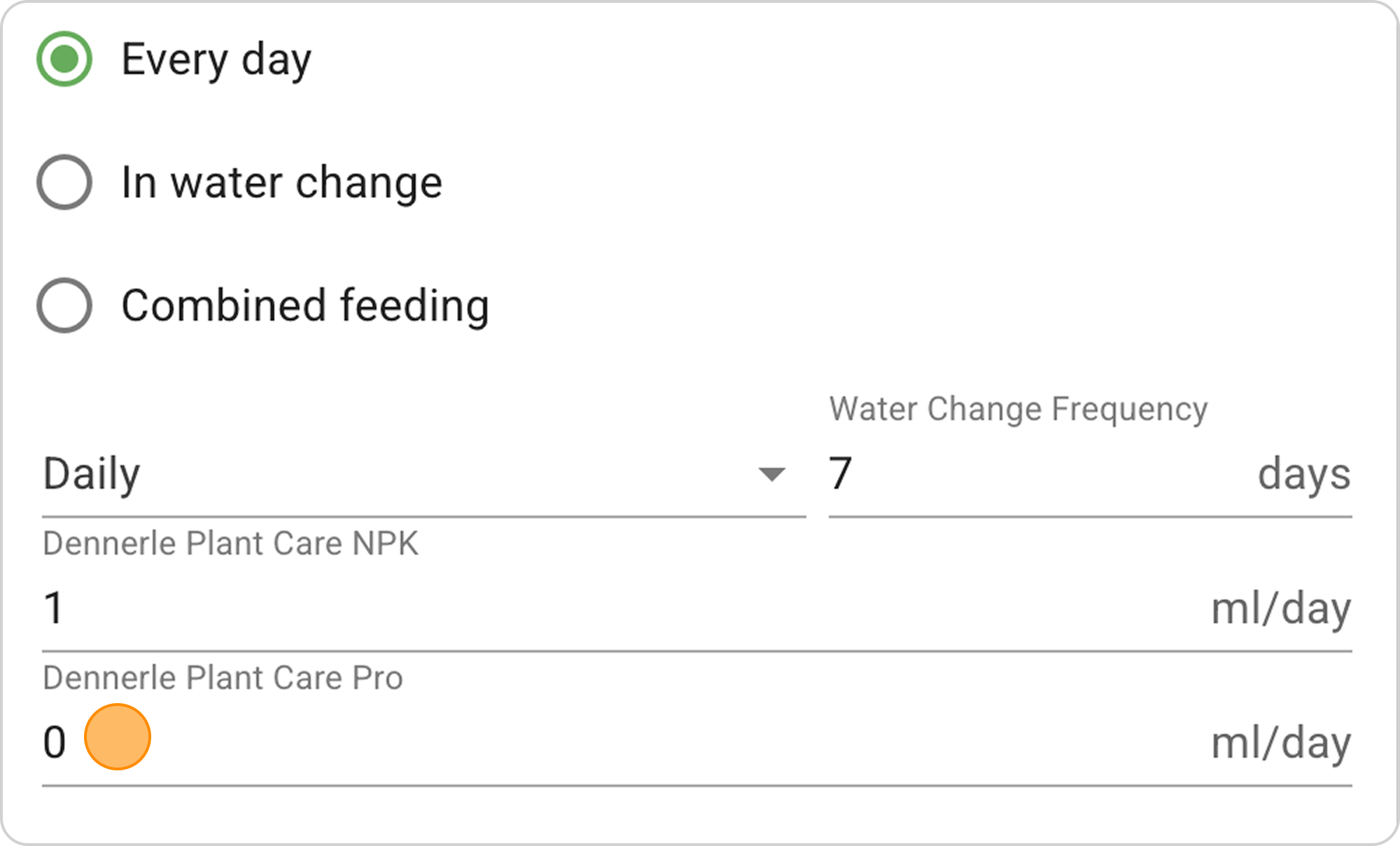
- In the "Dennerle Plant Care Pro" field, set 1 ml/day
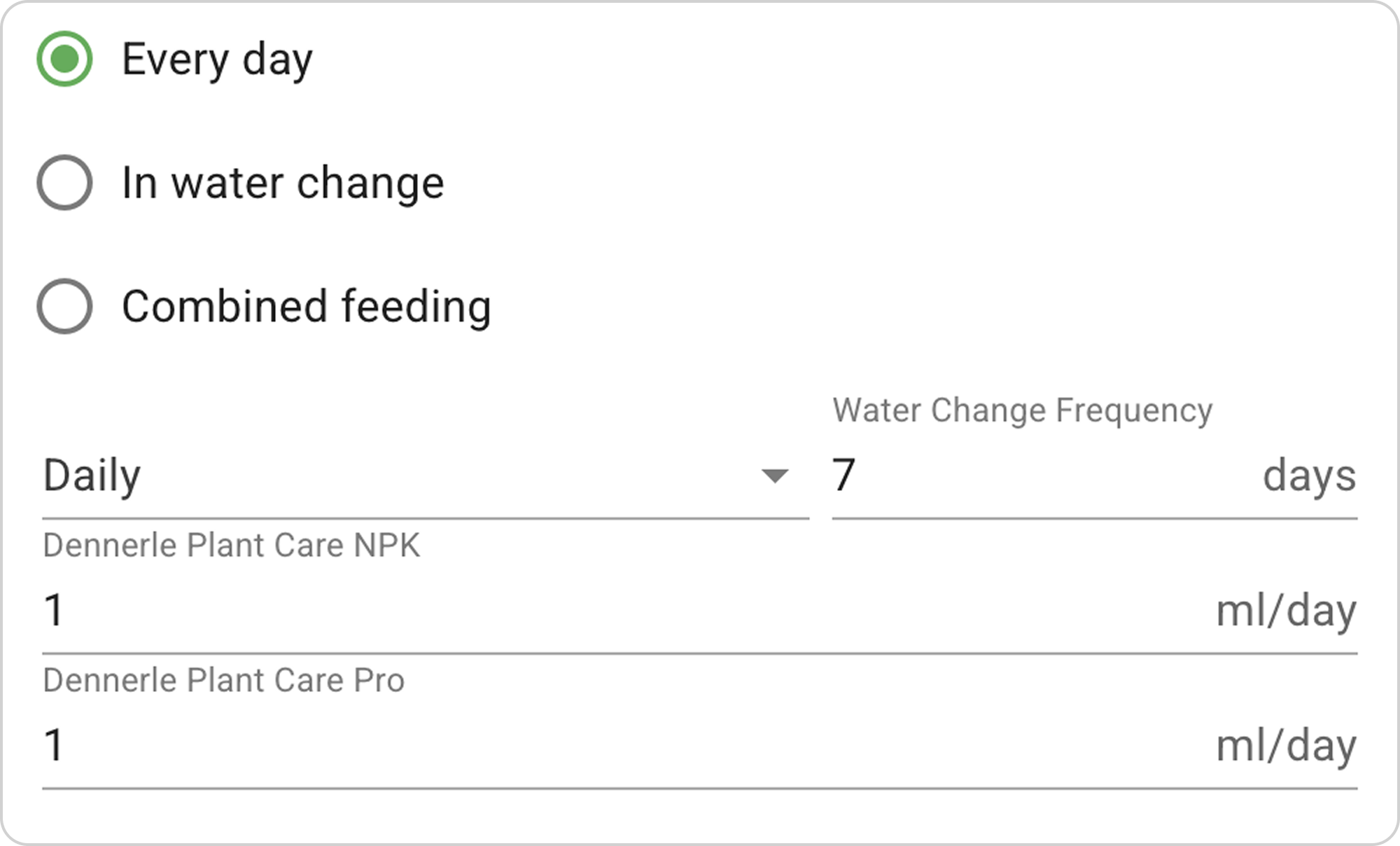
Tuning flexibility: You can specify dosage as:
- Daily (ml per day)
- Weekly (ml per week — system will automatically divide by days)
- When activating the "Show hardness increase" option, an additional Gh column appears in the table, showing the fertilizers' impact on general water hardness.
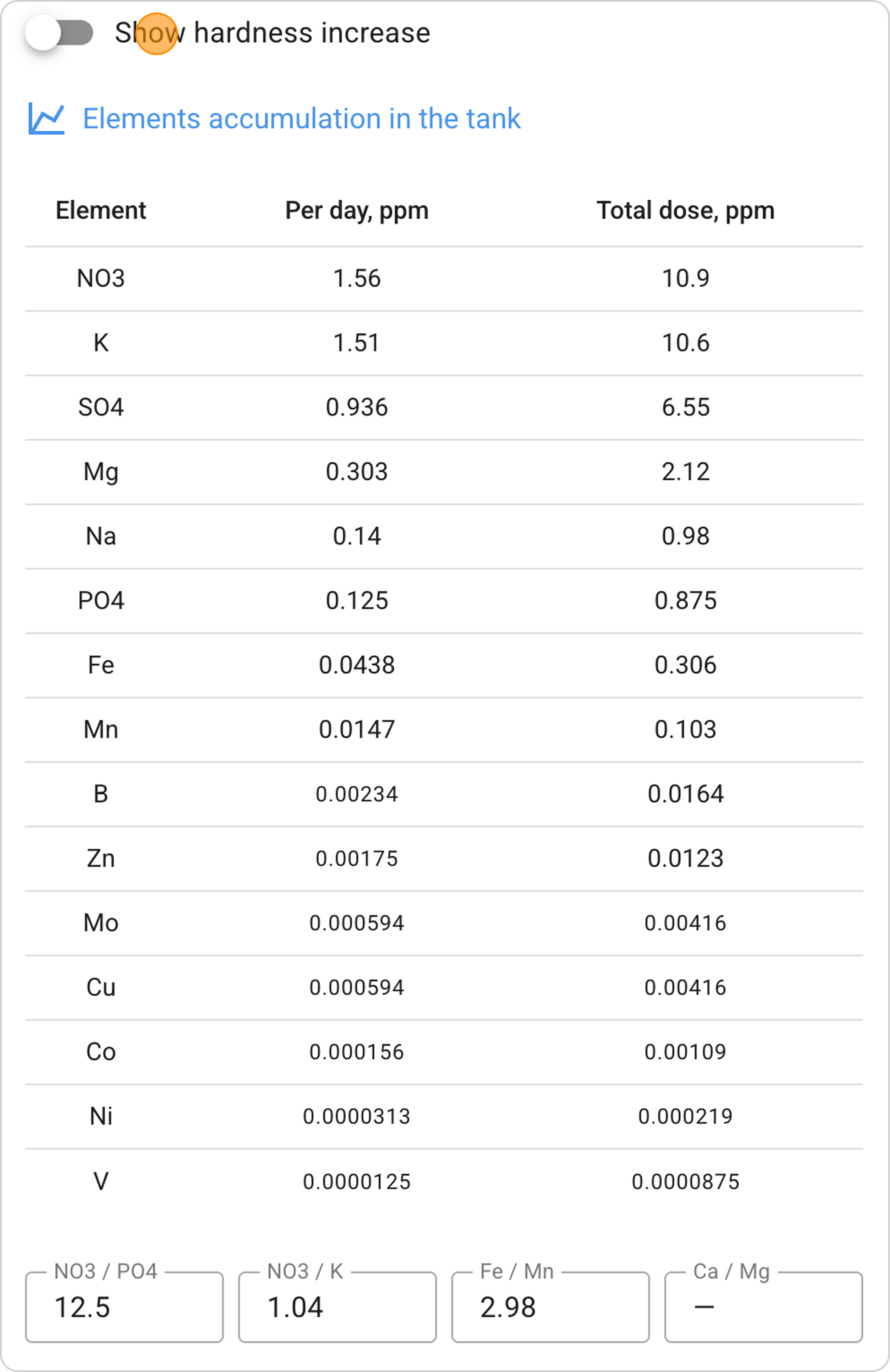
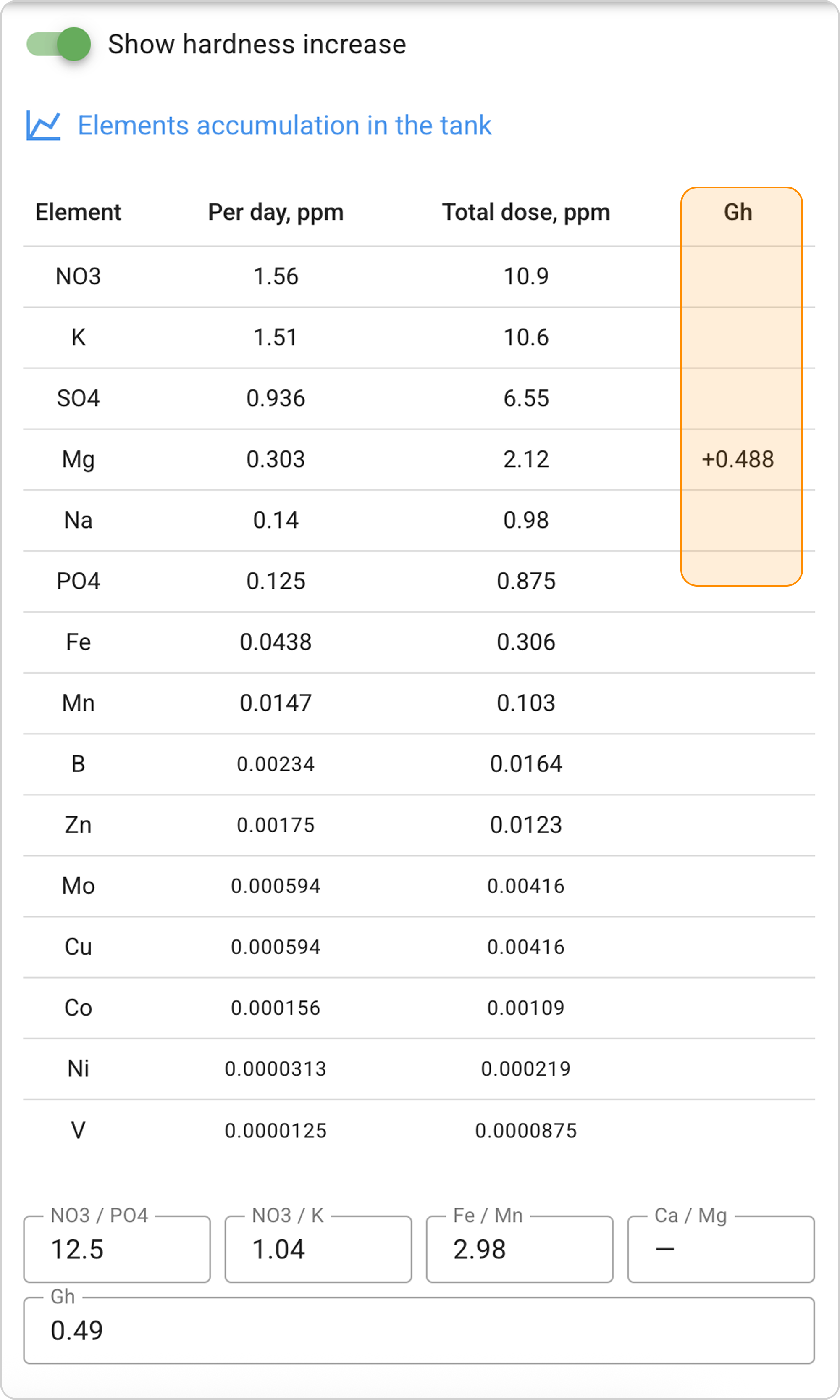
💡 Practical application: Useful for aquarists using RO water or wanting to control hardness.
Interpreting Results
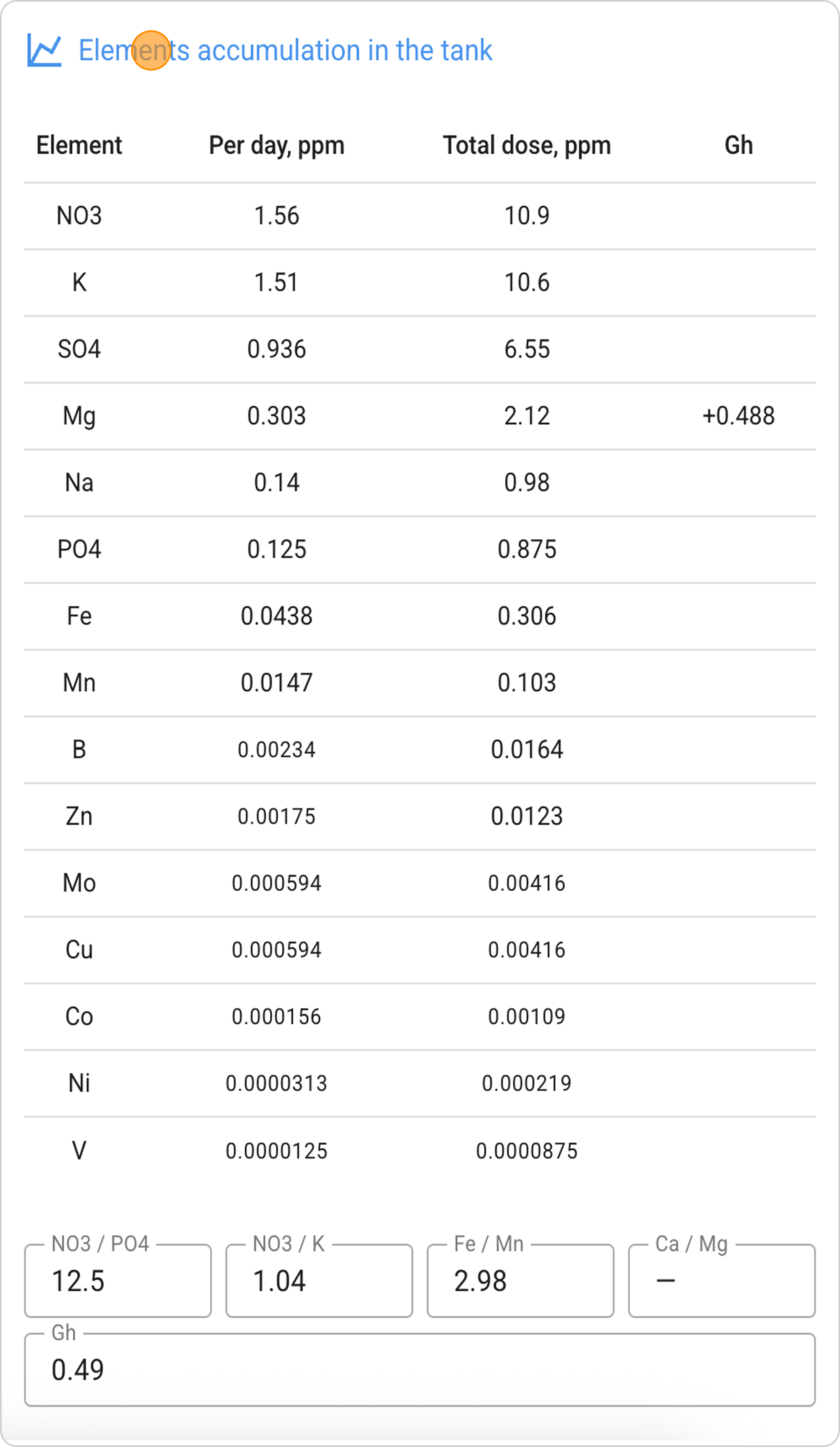
After setting up dosages, a key results table appears:
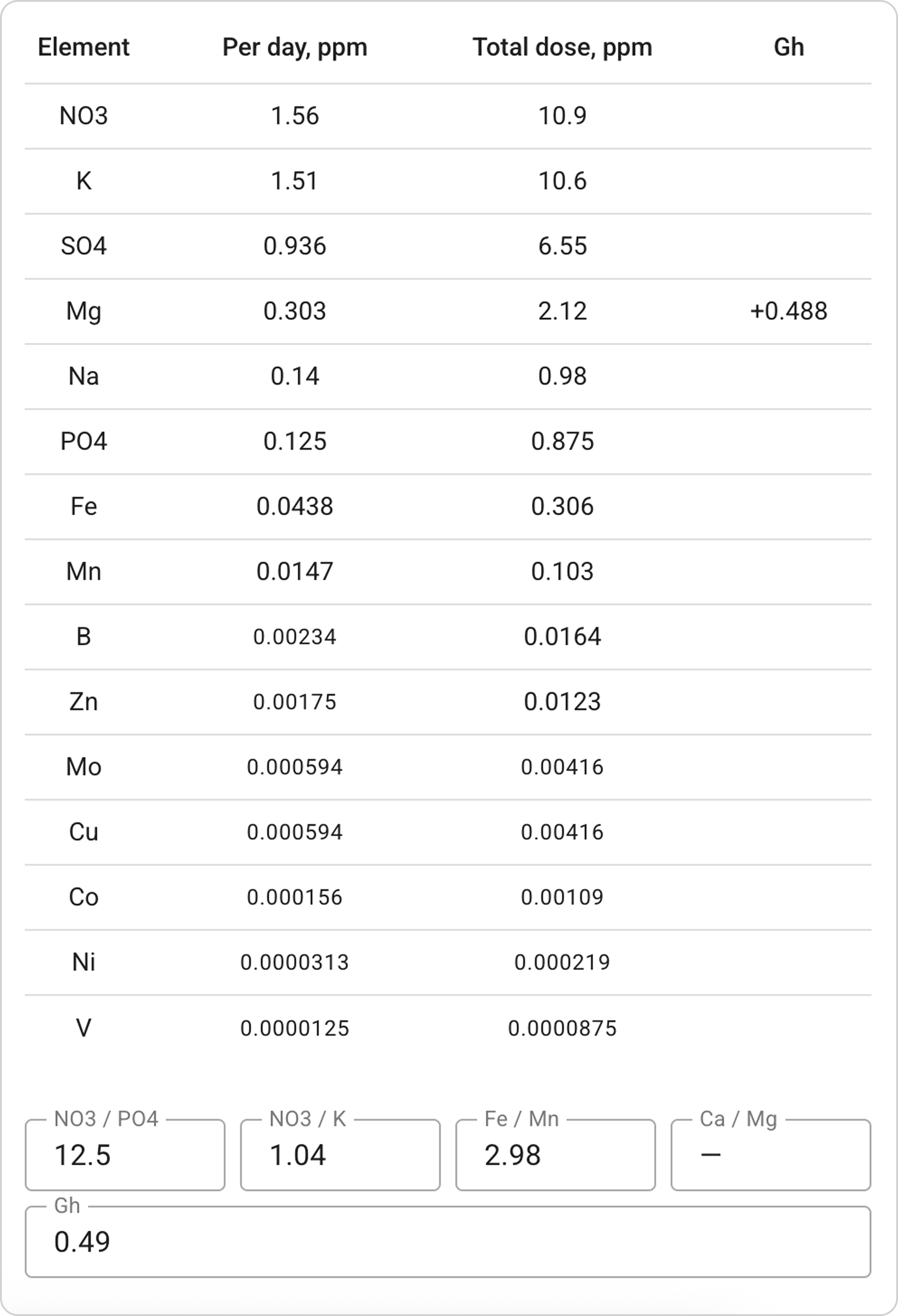
Column descriptions:
- "Per day, mg/L" — how much the element concentration in the aquarium increases daily
- "Total dose, mg/L" — how much the element concentration in the aquarium increases cumulatively over the selected period (week)
Results analysis:
Recommended values for planted tanks:
- NO3 (nitrates): 5-15 mg/L per week. Choose a middle value of 7-8 mg/L if you don't yet know how much your aquarium needs. This is a good starting value, and often you won't need to go much further from this value.
- PO4 (phosphates): 0.5-3 mg/L per week. For neutral substrate, choose a value 10 times less than nitrate. For aquasoil — 3-5 times less, as aquasoil strongly absorbs phosphate and it's not scary to dose more.
- K (potassium): 5-15 mg/L per week. Don't add potassium additionally. Potassium from macro and micro will likely be sufficient. If there are still suspicions of potassium deficiency, add 5 mg/L additionally once after water change.
⚠️ Important: After any changes, the aquarium must go through an adaptation phase. First changes on average are noticeable after 2 weeks.
💡 In our example: All indicators are within the optimal range.
"Element Ratios" Function
Important ratios are displayed at the bottom of the table:
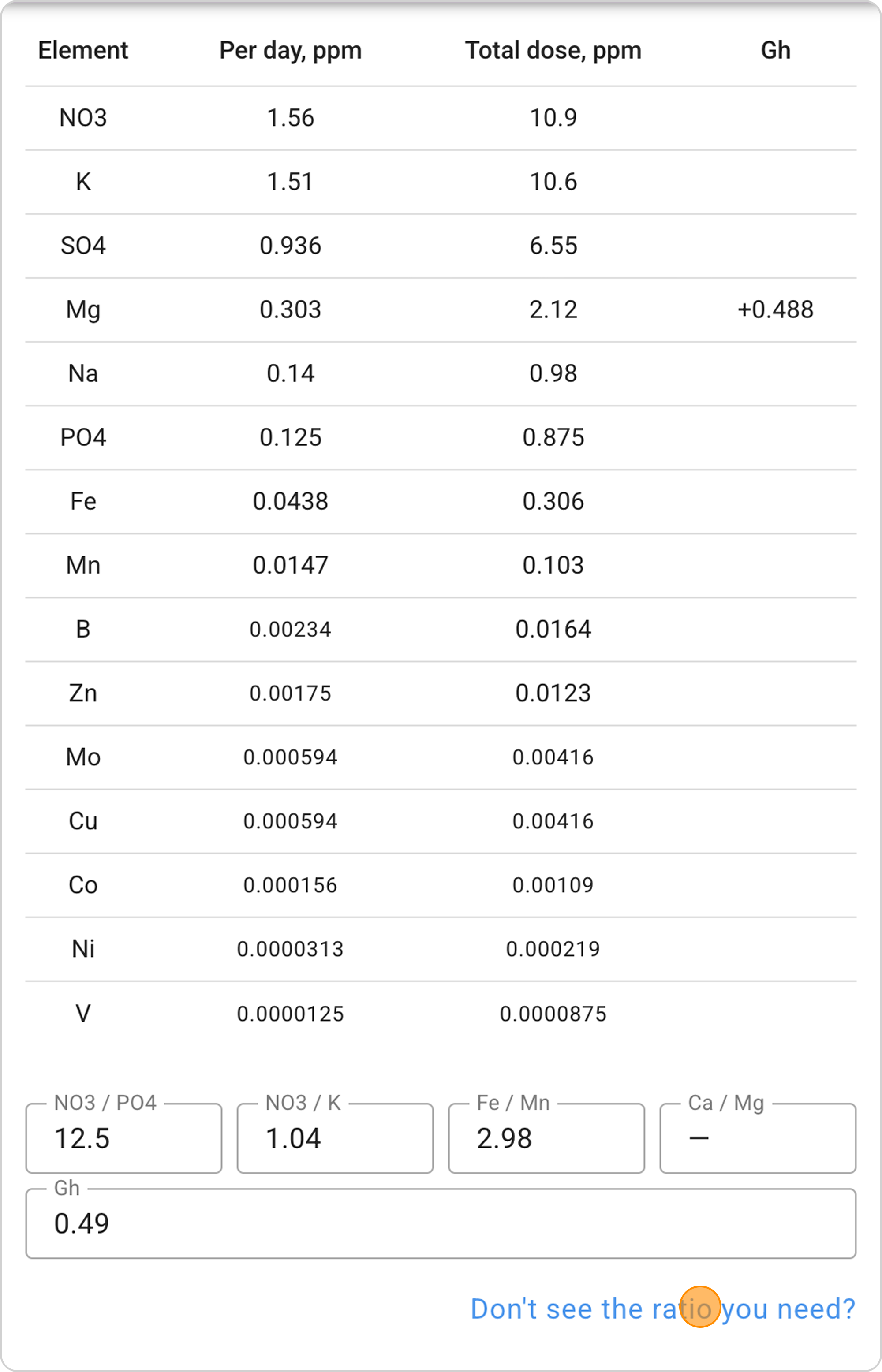
- NO3/PO4: 12.5 — optimal ratio of nitrates to phosphates. Normal range is 10-15 for neutral substrate and 2-5 for aquasoil.
- NO3/K: 0.667 — ratio of nitrates to potassium. As mentioned above, potassium is a macroelement whose dosage we determine later. The approximate ratio can be from 0.5 to 3. In some aquariums, potassium dosages may be greater than nitrate. Additional information about potassium can be found here.
Besides standard ratios, you can create your own for analyzing specific element relationships — click the "Don't have the ratio you need?" button or study the manual "How to Add New Element Ratios in Samomes?".
"Element Accumulation in the tank" Function
By clicking on the "Element accumulation in aquarium" link, you can view a forecast of element accumulation in your aquarium over an extended period, accounting for water changes.
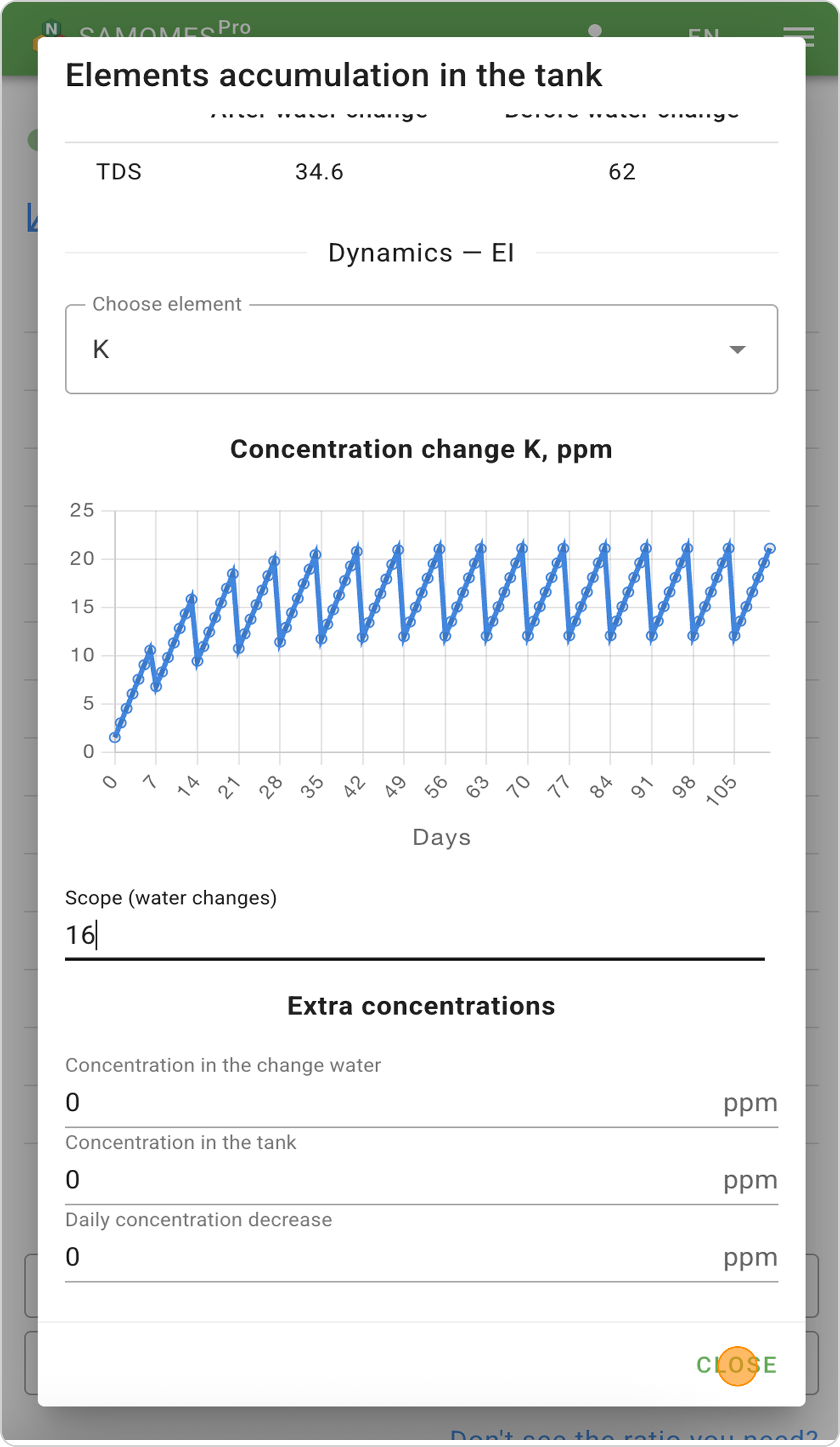
What the graph shows:
- Equilibrium element concentrations in the aquarium
- Impact of water change volume on nutrient buildup
- Temporal concentration ranges (minimum-maximum per week)
For a detailed description of the "Element accumulation in the tank" function and graph interpretation, see "How to Monitor Element Accumulation in Aquarium?".
Creating a Fertilizer Dosing Schedule
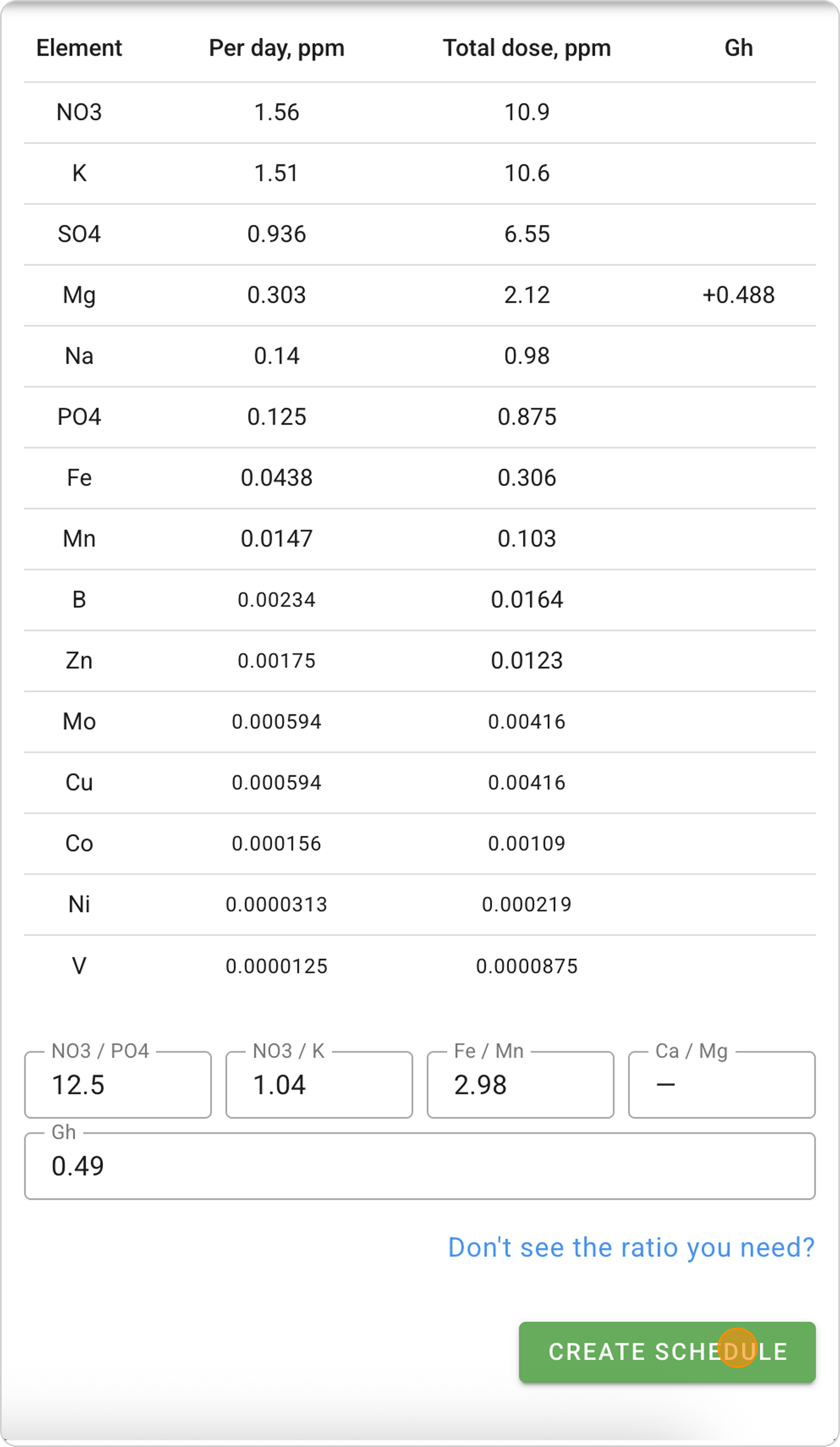
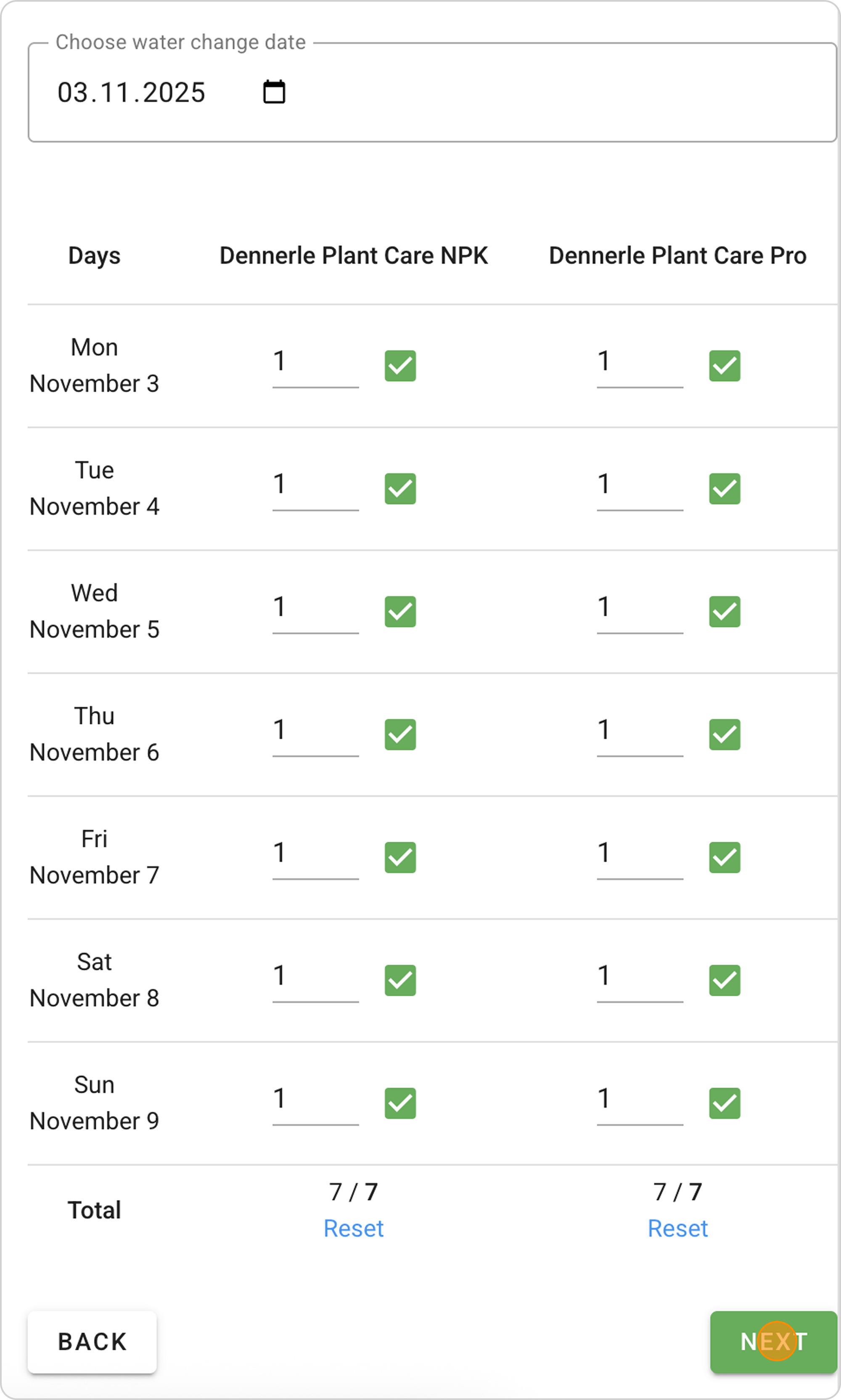
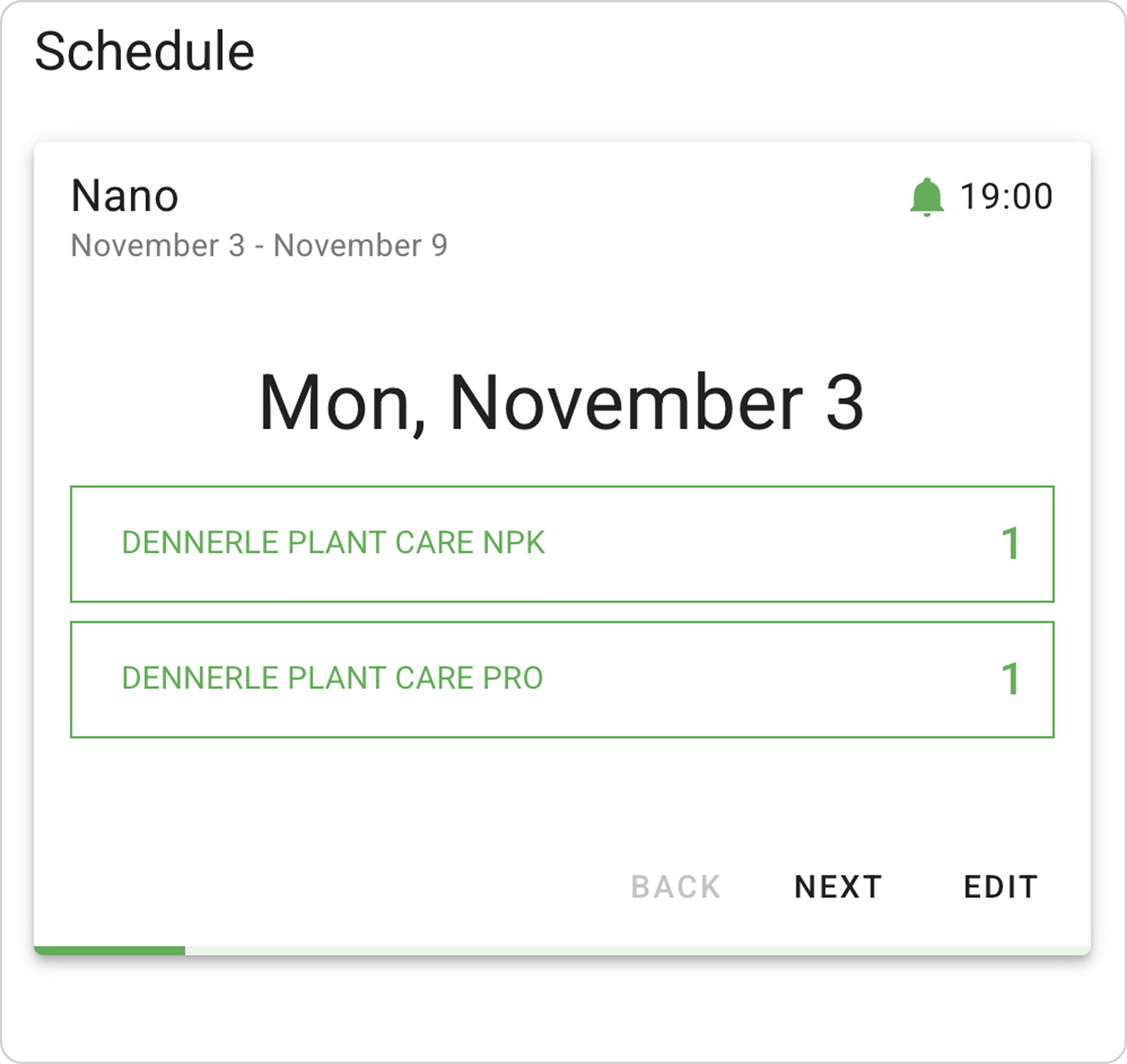
- After selecting optimal dosages, click "Create schedule" to generate a weekly plan. The system will calculate the dose of each fertilizer for the week.
- Click the "NEXT" button, and the system will take you to Notifications setup.
- After setting up notifications, the system will save your schedule in the Schedule section.
To learn more about how to set up push notifications, use the manual "How to Set Up Fertilizer Dosing Notifications?".
- You can manage the created schedule from the Schedule section.
To learn more about how to regularly use the schedule to control fertilizer dosing, use the manual "How to Use the Fertilizer Dosing Schedule in Samomes?".