The schedule in Samomes is created in the "Dosing" section — this is important to understand from the beginning. When you configure fertilizer dosages, the system automatically creates a schedule based on this data.
After clicking the "Save" button in the "Dosing" section, your personalized schedule automatically appears in the "Schedule" section.
Let's look at working with the schedule using Dennerle Plant Care NPK and Dennerle Plant Care Pro fertilizers as examples, whose dosages we previously calculated in the "Dosing" section.
Step-by-Step Guide
Step 1. Open Schedule
- In the general menu, find and open the Schedule section.
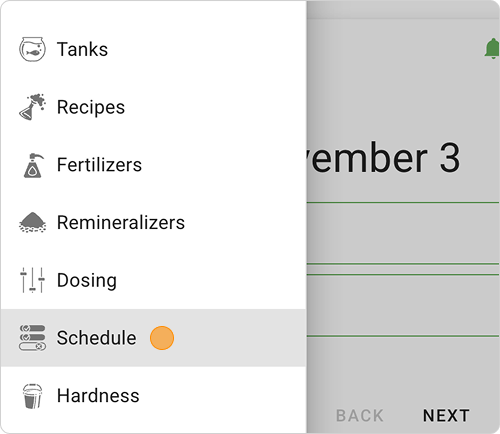
- The schedule will be presented as cards with the names of fertilizers selected in the Dosing section.

Fertilizer cards in the schedule display scheduled doses for a specific day and show their completion status.
Information contained on the cards:
- Tank name or volume: Nano tank
- Period: week
- Current day: current day (by default)
- Reminder time: 19:00 — at this time you will receive a push notification about the need to add fertilizers. To configure push notifications, read the instruction "How to Set Up Fertilizer Dosing Notifications?".
- Progress: The green bar at the bottom shows what portion of the weekly schedule has been completed. With each fertilizer addition, the green bar increases until it fills the entire line.
- Fertilizer name: Dennerle Plant Care NPK, Dennerle Plant Care Pro (all fertilizers for one day are grouped in a list)
- Dosage: 1 ml (number on the right).
Step 2. Add Fertilizers
- On the dosing day find the current date.
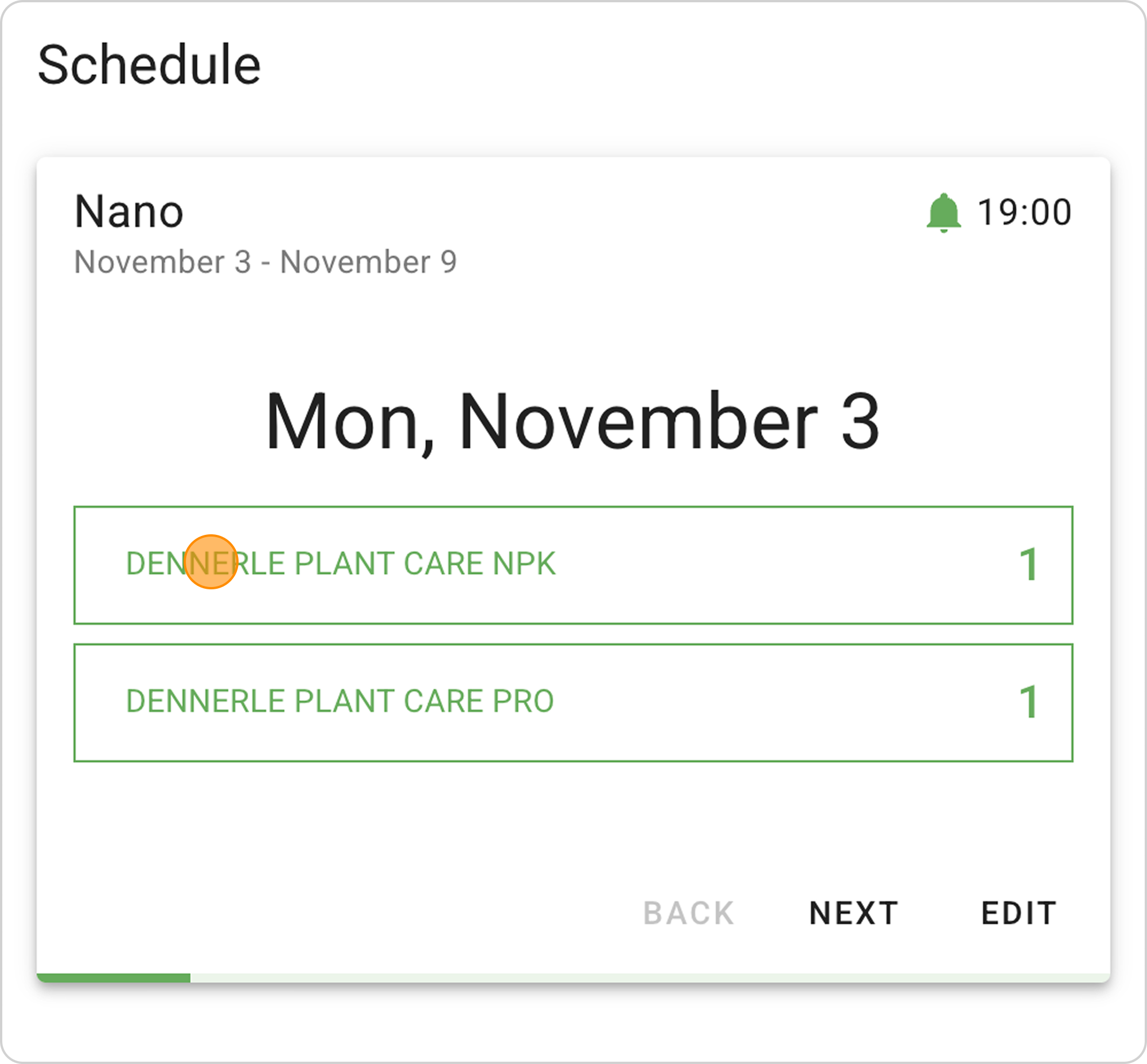
- You will see cards with fertilizer names and exact dosages.
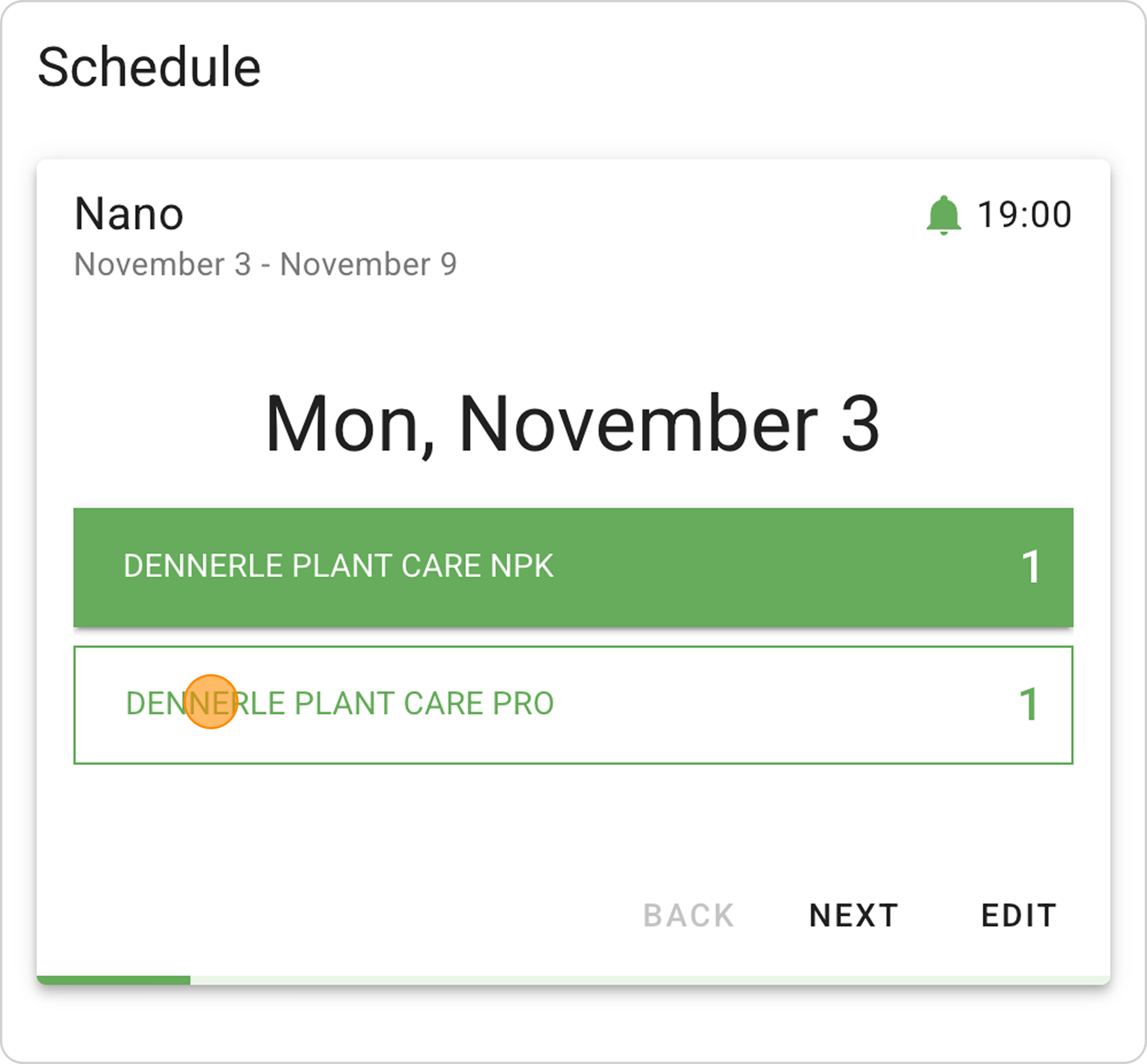
- After adding a fertilizer, click the button with the corresponding fertilizer name — it will change color from white to green, showing that the dose has been added.
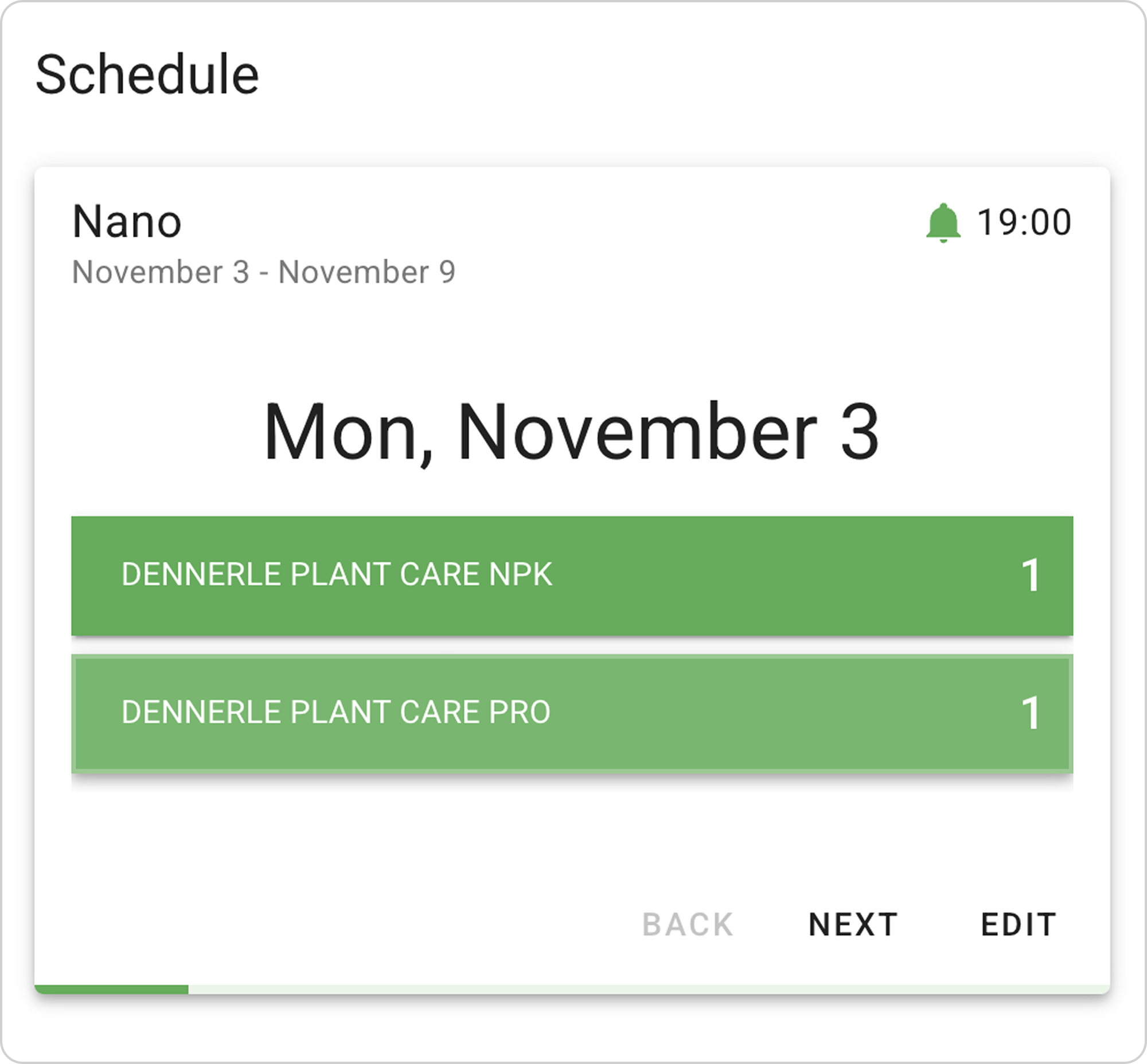
Step 3. Day Navigation
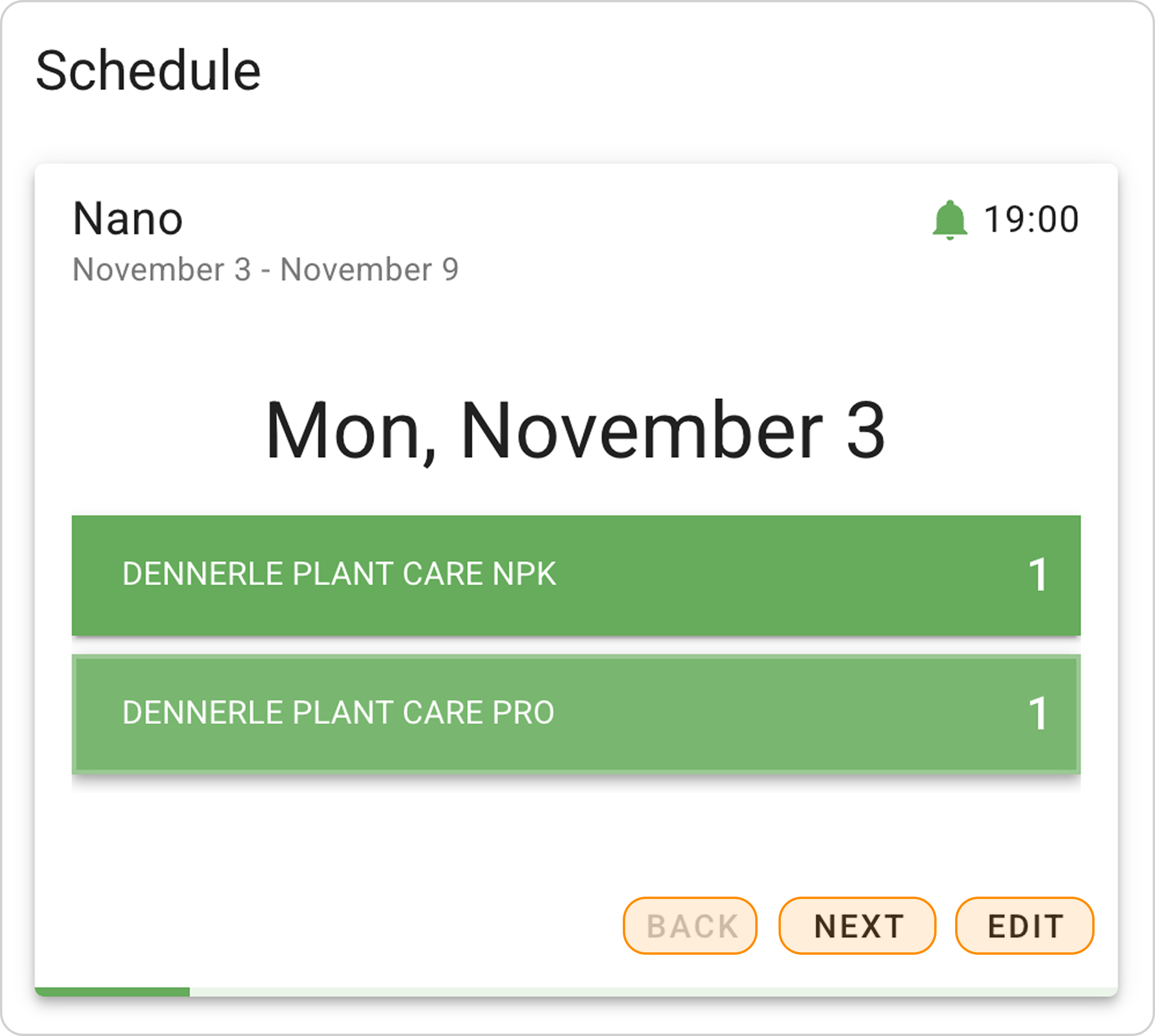
- Use the "BACK" and "NEXT" buttons to move between fertilizer dosing days.
- The "EDIT" button allows you to return to editing dosages in the Dosing section
You can adjust your schedule at any time to changed circumstances or for greater convenience of use. To do this, read the guide and follow the instruction "How to Edit the Fertilizer Dosing Schedule in Samomes?".