How to Edit the Fertilizer Dosing Schedule in Samomes?
The schedule in Samomes is a flexible tool that allows you to adapt the fertilizer dosing schedule to your lifestyle and practical needs. The system takes into account practical features of aquarium care and allows you to adjust the dosing plan according to current needs.
When Schedule Changes May Be Needed
Missed days:
- Need to skip a scheduled day
- Unable to access the tank on certain days
- Want to change your usual care schedule
Inconvenient dosages:
- The system calculated fractional values (e.g., 1.17 ml) that are difficult to measure
- Want to add fertilizers only on certain days
- Prefer to add fertilizers only on water change days
Life schedule changes:
- Work schedule change
- New family circumstances
- Desire to simplify tank care
The Samomes system understands that a perfect schedule doesn't exist, so it provides tools for:
- Quick dose redistribution when skipping days
- Automatic concentration recalculation when changing schedule
- Maintaining total weekly dose with any adjustments
- Synchronization with the dosing section for comprehensive management
Key rule: The total weekly dose remains constant regardless of how it's distributed across days, which guarantees plants receive the necessary amount of nutrients.
Transition from Schedule Section to Dosing Section
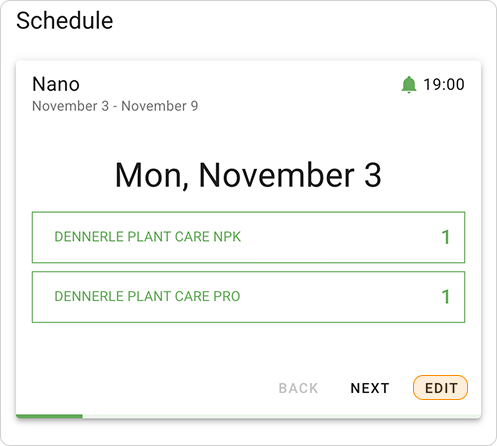
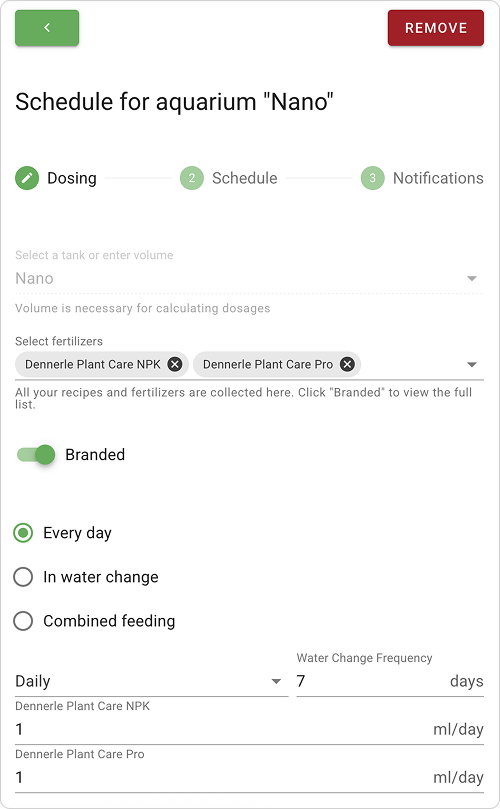
- Click "EDIT" in the Schedule section and the system will automatically take you to the Dosing section.
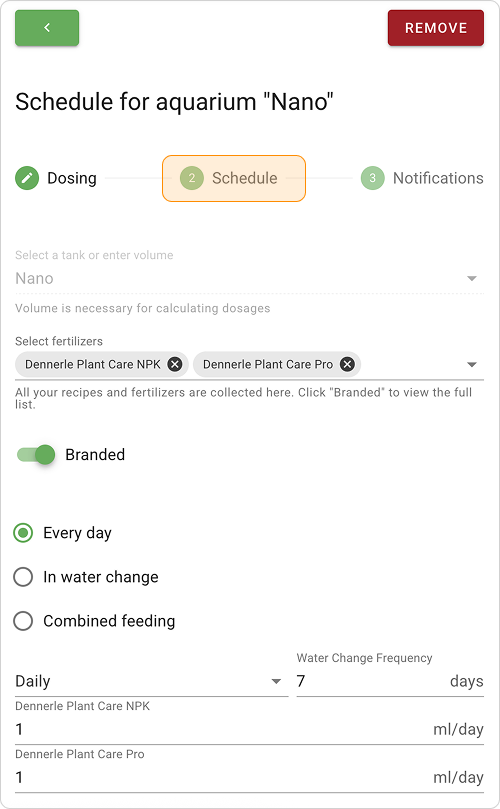
- At the top of the section, click on the "Schedule" link or click the "Next" button at the bottom of the screen to go to editing mode of your schedule.
Working with Missed Days
If you missed a day of dosing:
- In the table, find the missed day and uncheck the corresponding fertilizers
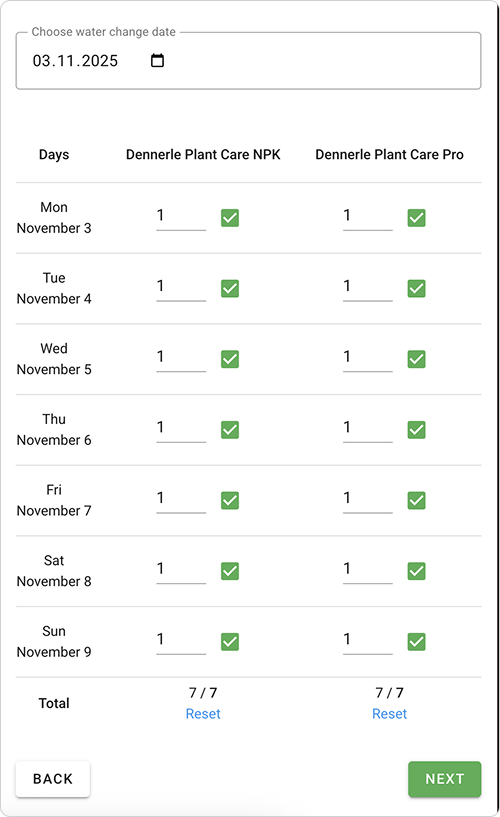
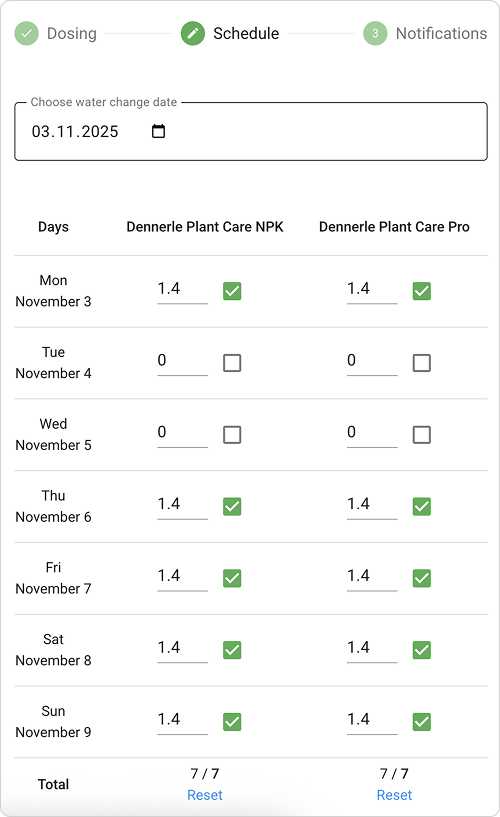
- Redistribute dosages based on your circumstances: you can either add a double dose the next day or distribute over several days
Adjusting Inconvenient Dosages
If fractional values (1.17 ml) appear in the table that are difficult to measure with a syringe:
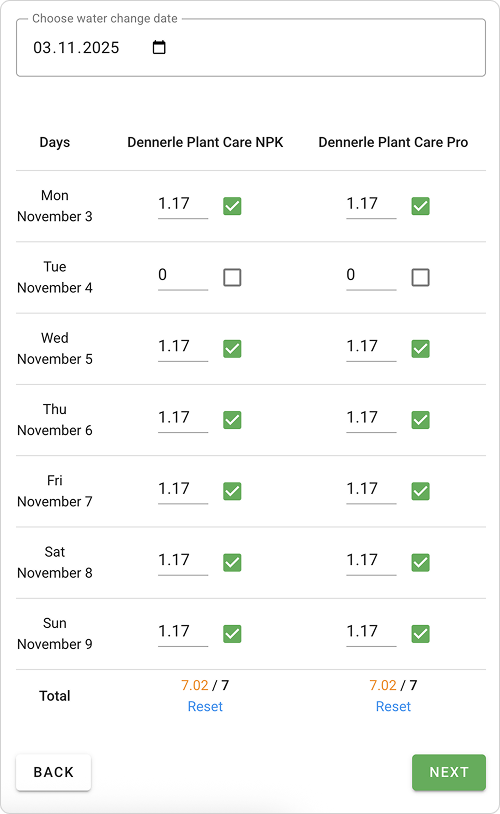
- Note the total weekly dose (shown at the bottom of each column)
- To simplify, you can exclude one dosing day — click the checkbox next to the inconvenient dosage, and the system will automatically redistribute the dose to the remaining days.
- Adjustment example: If the weekly dose is 7 ml, the system suggests adding fertilizers 6 days at 1.17 ml. In this case, it's better to exclude one day and add fertilizers 5 days at 1.4 ml or 2 days at 3.5 ml (convenient for aquarists who do water changes on weekends).
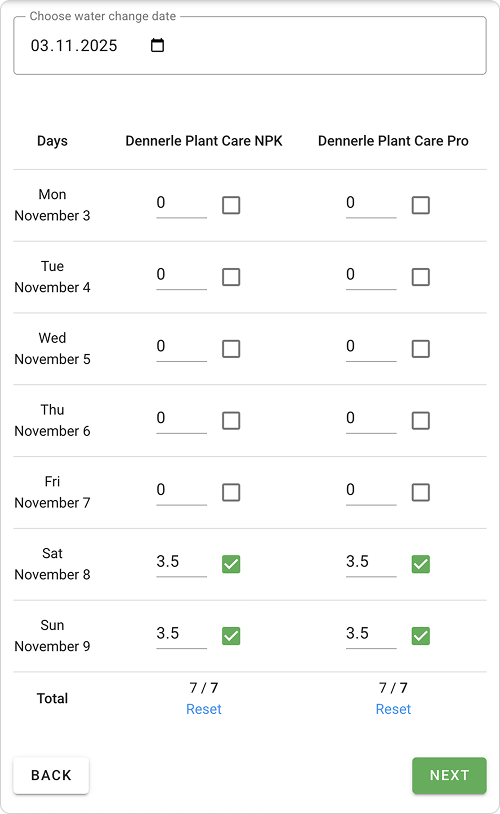
- You can also manually enter dosage values in individual fields to make fertilizer addition more convenient. For example, if the system distributed 7 ml at 3.5 ml each weekend, you can manually change these values to 2 ml and 5 ml.
- Click "Save" to apply changes
Connection with "Dosing" Section
- All changes in the Schedule section are synchronized with the main dosing settings
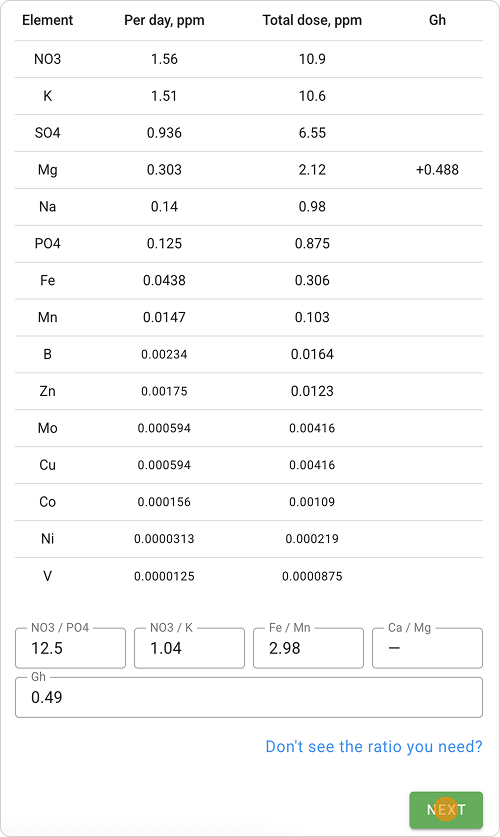
- You can quickly switch to recalculating element concentrations
- Tank parameters remain linked to general settings