
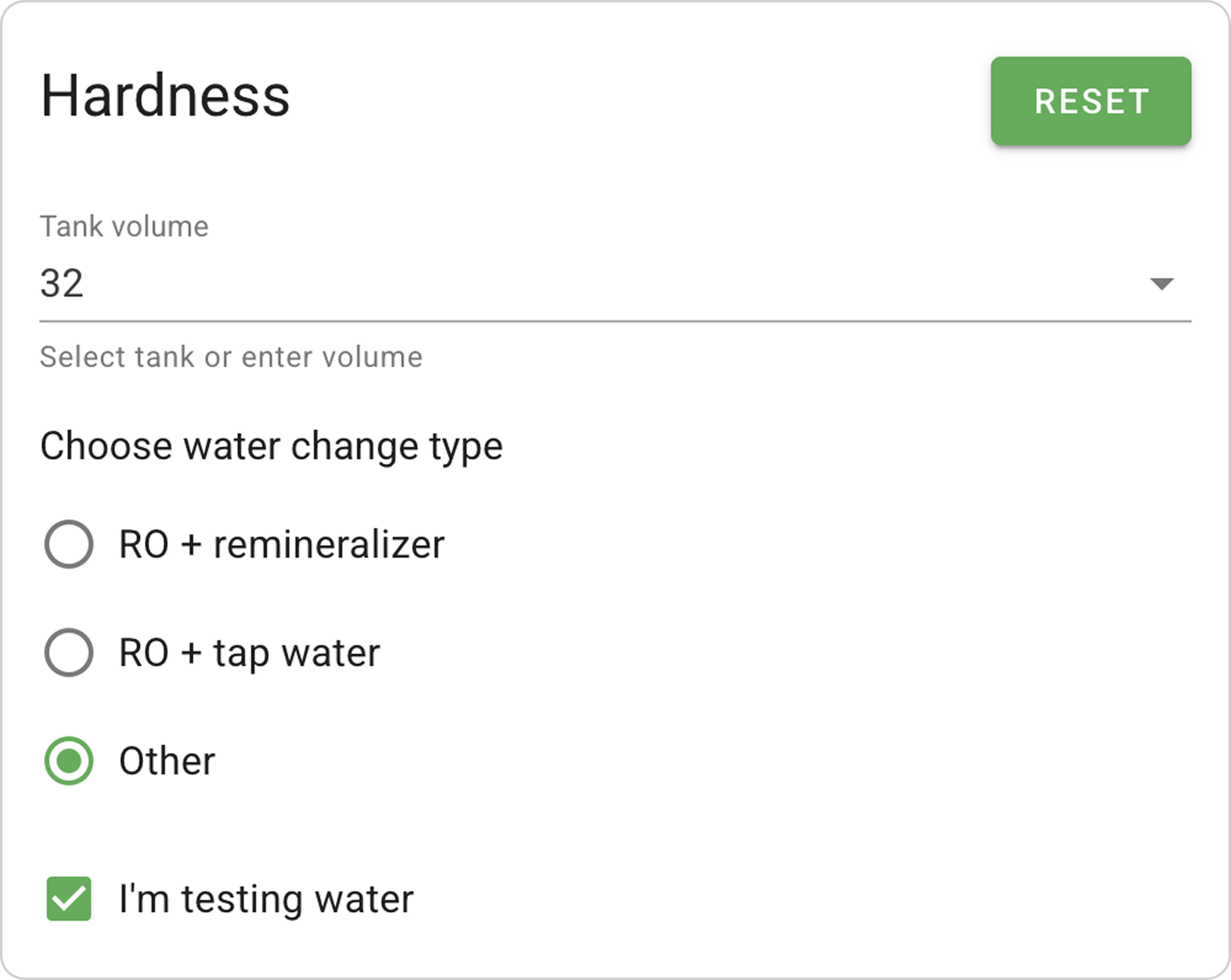
Let's also consider the third type of water preparation "Other" in the Hardness section, but now we'll use the "I'm testing water" option.
When to use:
- Want to change hardness in the aquarium in one water change
- Know current water parameters in the aquarium
Step-by-Step Guide
Initial parameters:
- Tap water hardness indicators: Gh=12, Kh=1
- Current aquarium hardness indicators: Gh=8, Kh=2
- Desired hardness indicators after water change: Gh=6, Kh=4.
Step 1: Activate the "I'm testing water" Option
- Check the box next to "I'm testing water"
Step 2: Enter Water Change Volume
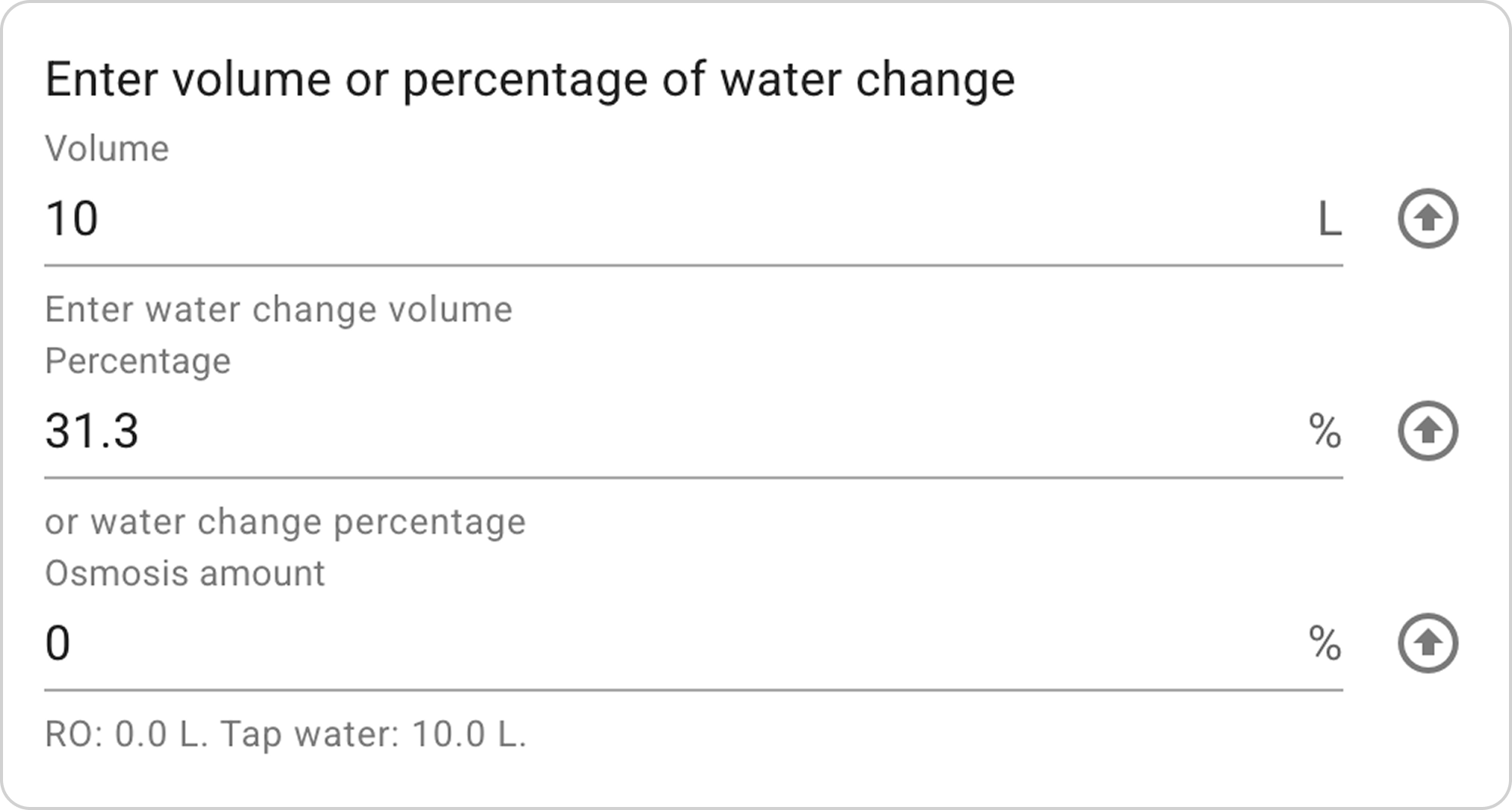
- In the "Enter volume or water change percentage" section:
- In the "Volume" field enter "10" L
- The system will automatically calculate "Percentage".
Step 3: Enter Initial Water Hardness Indicators
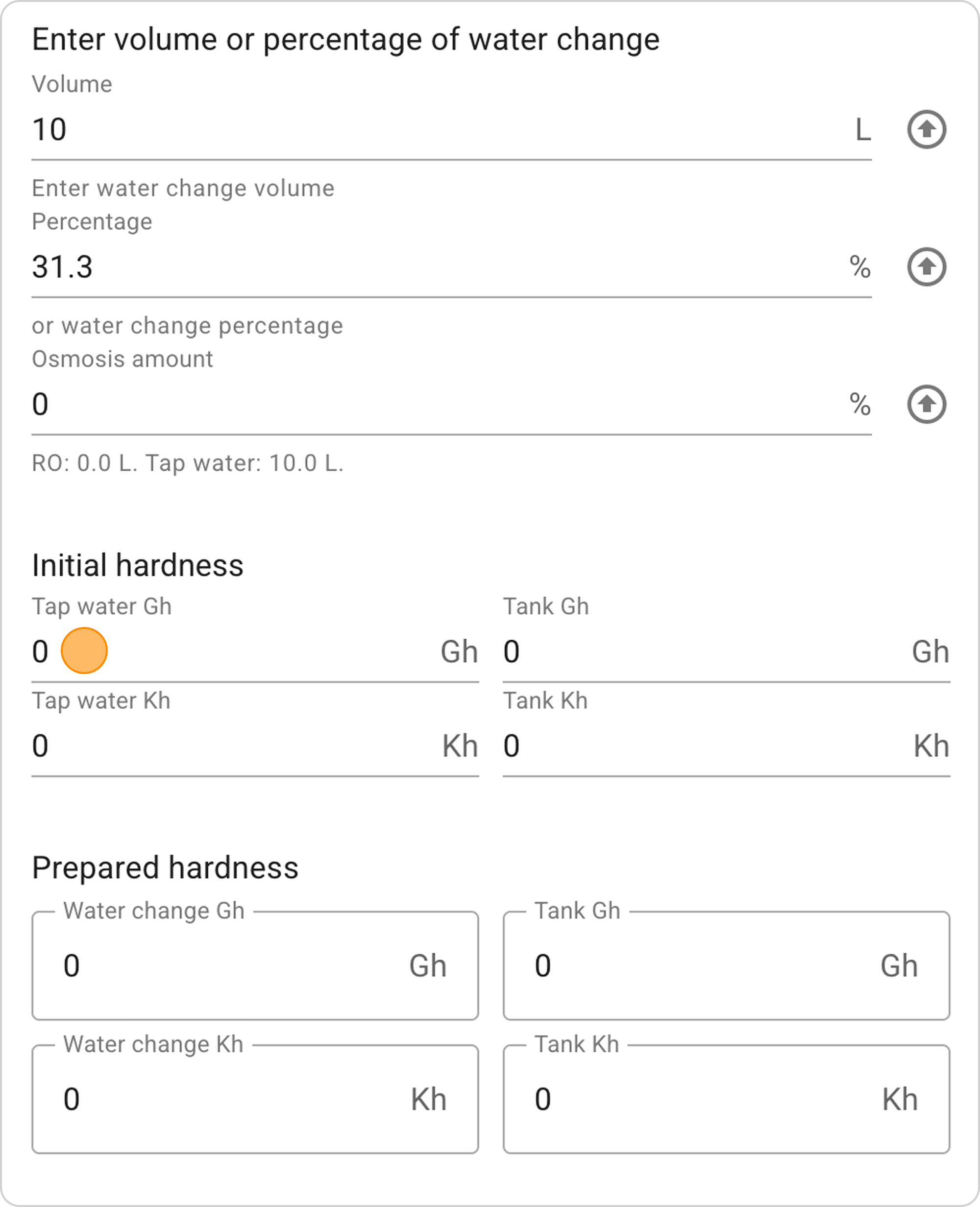
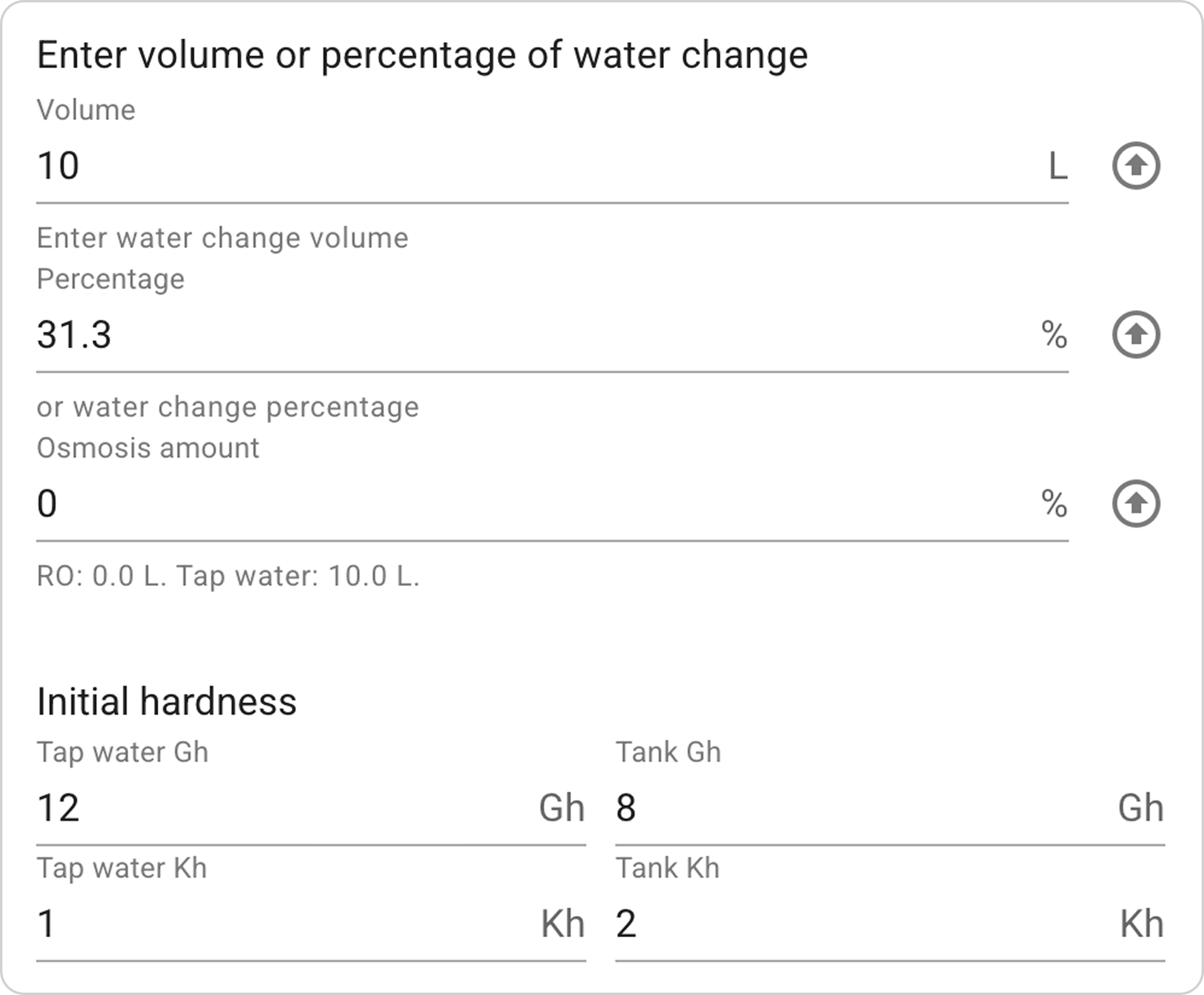
- In the "Initial hardness" section fields, enter corresponding values:
- "Tap water Gh": 12
- "Tap water Kh": 1
- "Aquarium Gh": 8
- "Aquarium Kh": 2
Step 5: Select RO and Tap Water Mixing Proportions
Now begins the process of selecting the correct proportion of diluting tap water with RO to achieve the desired general hardness Gh indicator. Specify the RO percentage, and the system automatically calculates the Gh hardness in the aquarium.
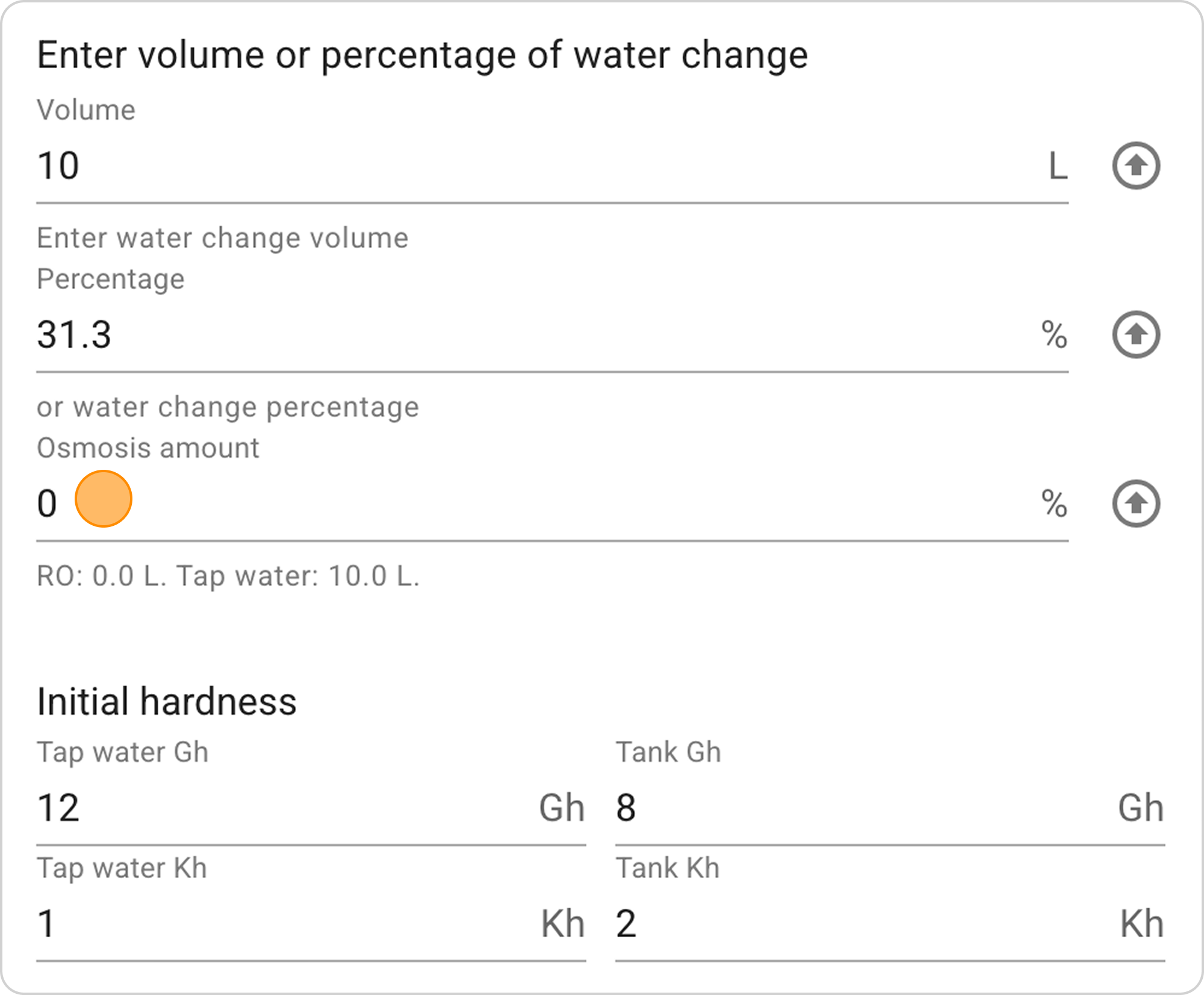
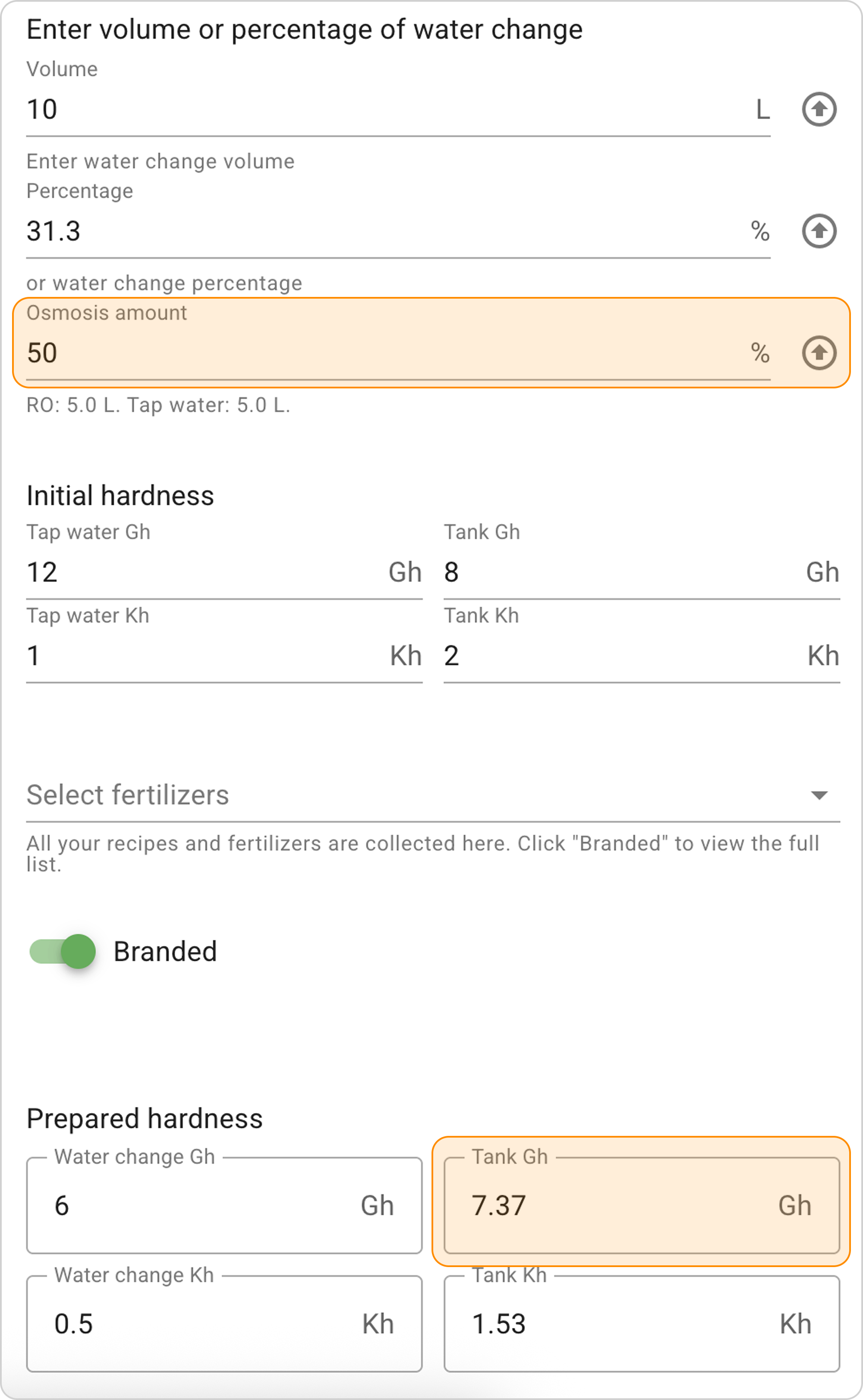
- In the "RO water change percentage" field, enter "50" % - the system will calculate the Gh hardness indicator, by which you can judge which direction to change the RO percentage. In this example, such 50% is insufficient, meaning this value needs to be increased.
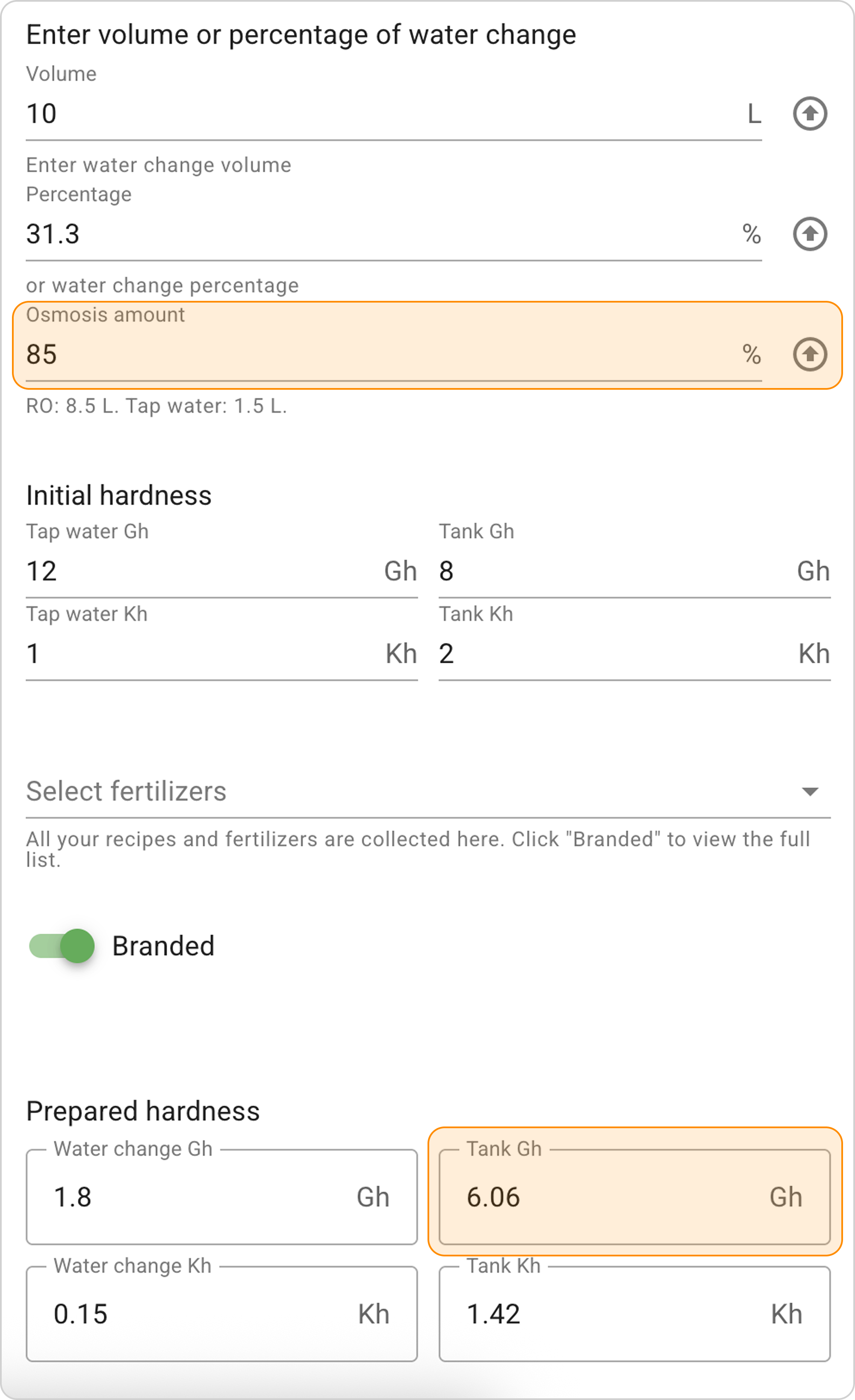
- Increase the entered value and enter "85" %** in the "RO water change percentage" field. The system will calculate the general hardness indicator Gh=6.
Step 6: Select Remineralizer
- Click on the "Select fertilizers" dropdown menu
- Select the remineralizer to increase Kh "Kh+".
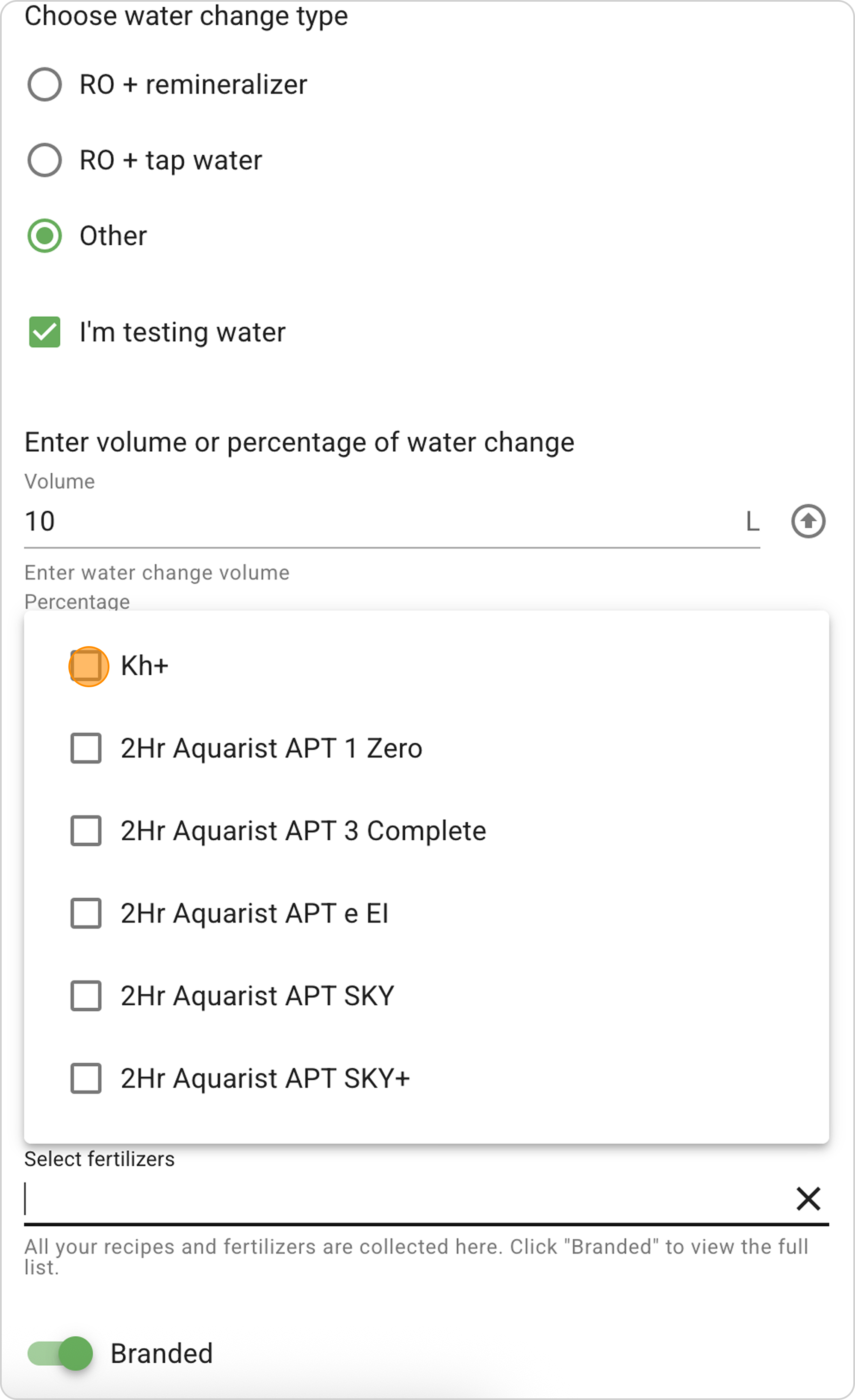
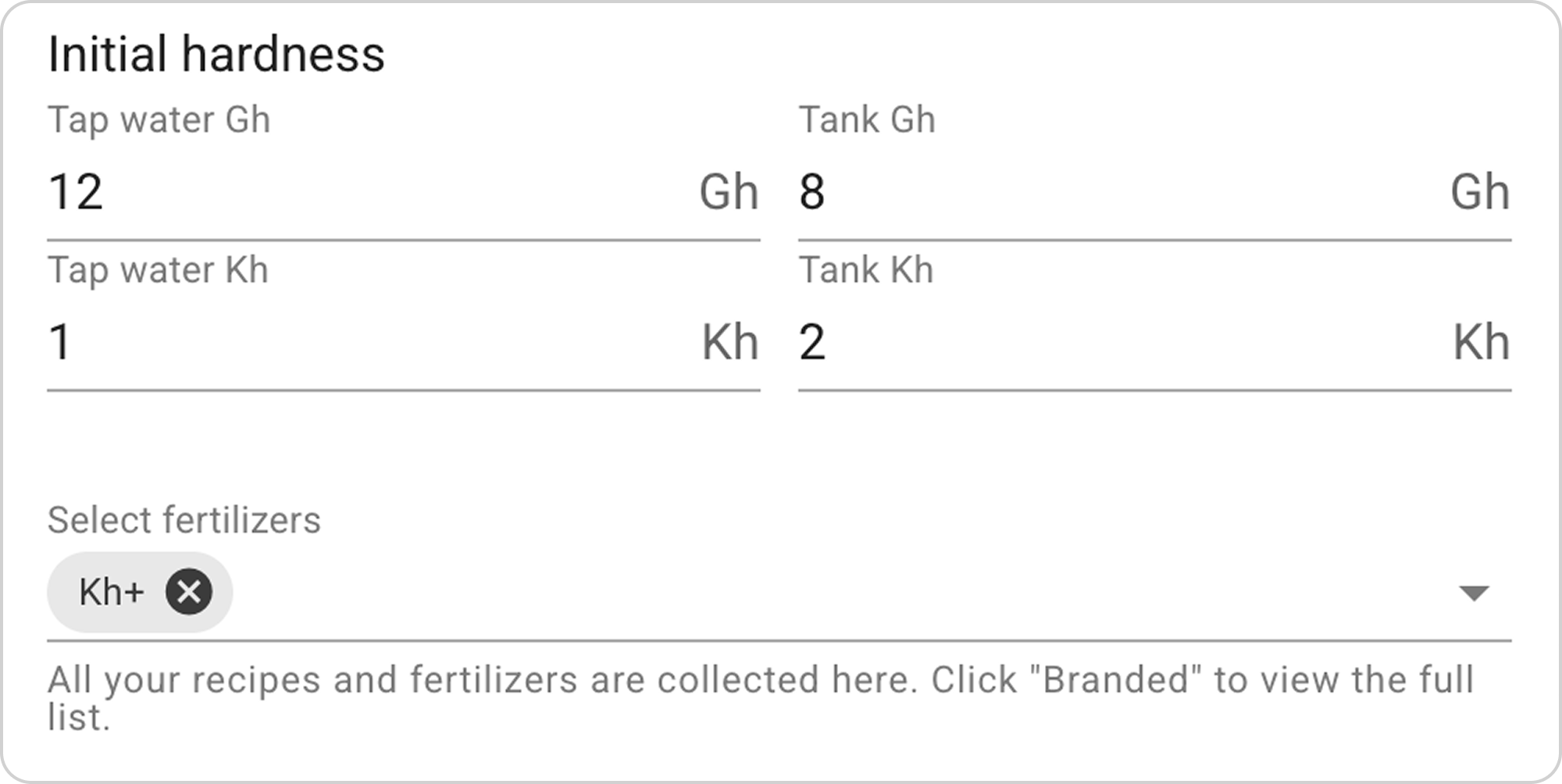
⚠️ Important! The Kh+ remineralizer must be created in the Remineralizers section, only after that it will become available for selection. To create, use the guide "How to Create a Kh+ Remineralizer to Increase Carbonate Hardness?"
Step 7: Configure Remineralizer Dosage
- In the "Kh+" field, enter the number of grams "1" to change the Kh indicator in the "Prepared hardness" section in the "Kh in water change" window.
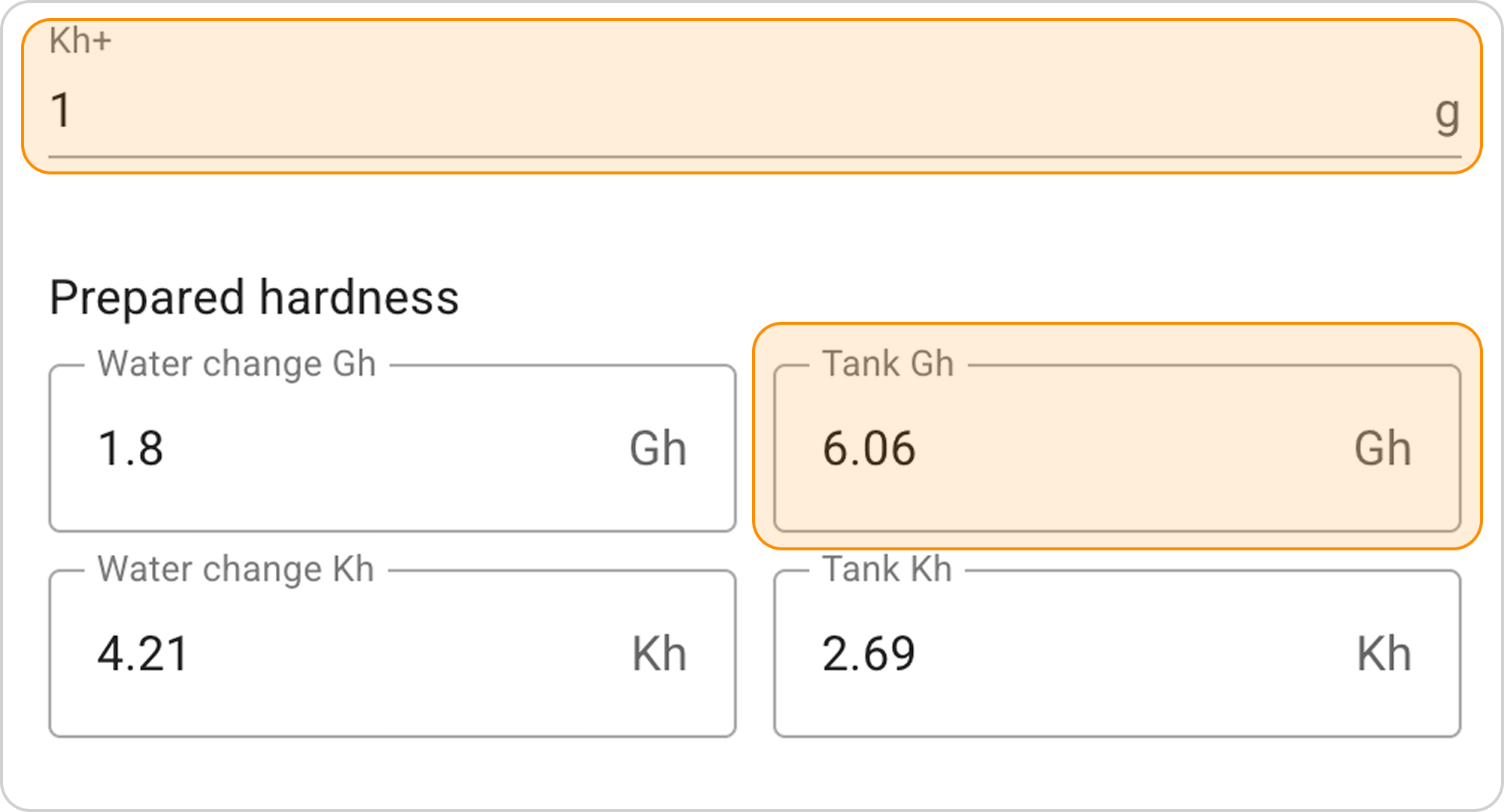
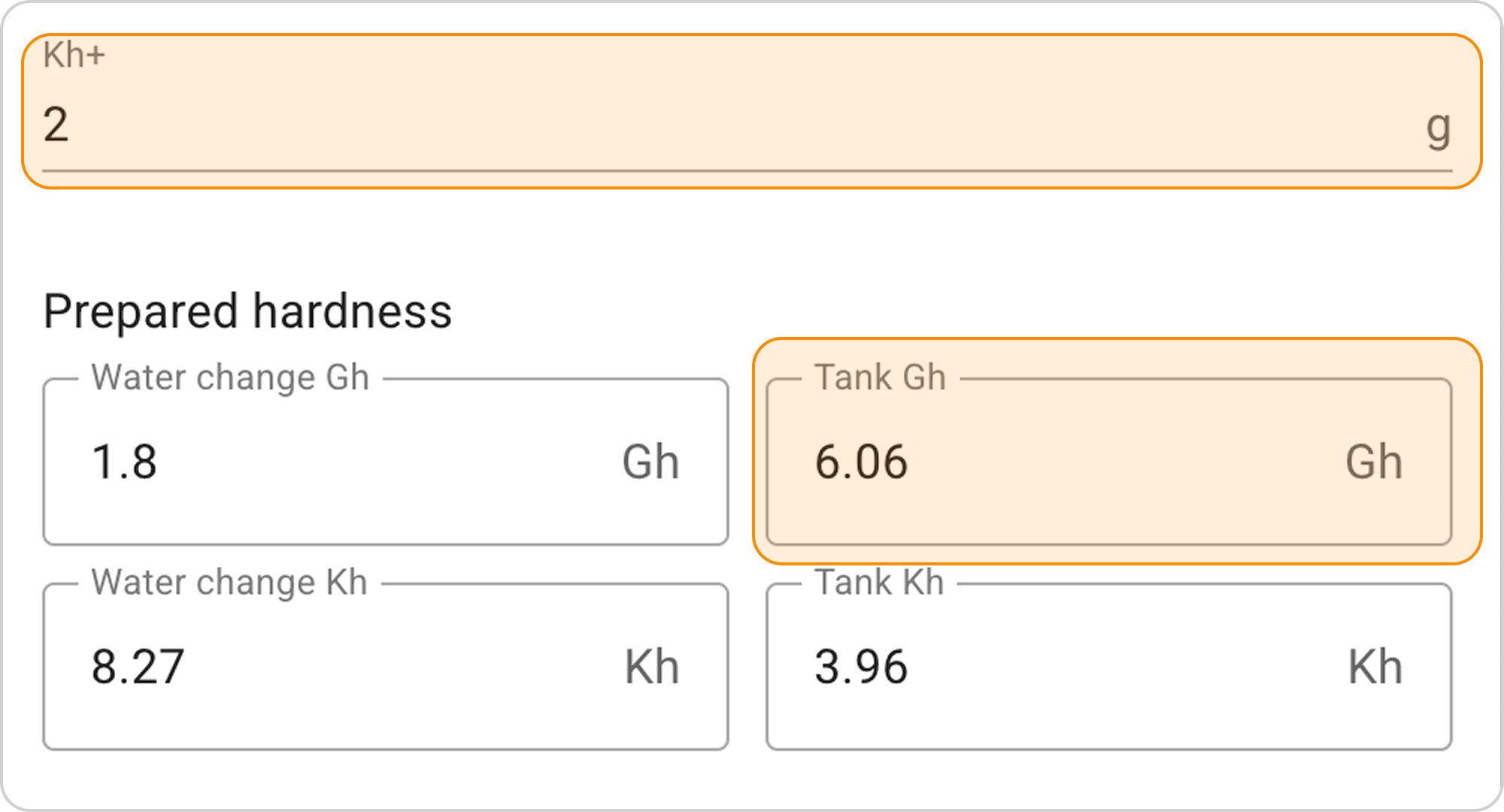
- In this case, 1 g of Kh+ remineralizer does not give the desired result, so enter the value "2" to obtain the desired Kh=3.96 indicator.
Result Interpretation
With the setting 85% RO + 15% tap water and adding 2 g of "Kh+" remineralizer, we get the following results:
Mixing volumes:
- 8.5 L of RO water (85% of 10 L)
- 1.5 L of tap water (15% of 10 L)
Prepared water parameters:
- In 10 L of water change, we get hardness indicators Gh=1.8 and Kh=8.27.
Final result in the aquarium:
After replacing 10 L of water, the aquarium water hardness indicators will change as follows:
- Gh will decrease from 8 to 6
- Kh will increase from 2 to 4.